



All your donor info and Gift Aid records. All in one place.

Build your donor list automatically from every donation, ticket, and registration, with each gift linked to the donor record.

See every donor’s full history in one place, from donations and tickets to event registrations.

Filter donors by date, amount, campaign, or custom fields. Save any filter as a list that stays up to date as new donors give.
unlimited contacts · free forever




How it works

Your donor list builds itself.

See every donor in one place.
Keep 100% of it, for free.

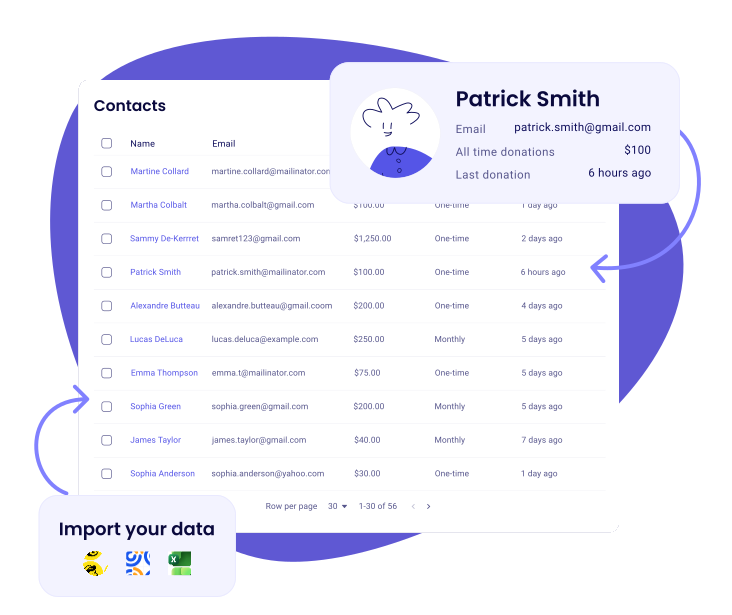
Your donor database builds itself
- Every donation, ticket, and registration becomes a contact, with the gift on their record
- Already have a list? Import from CSV, Excel, or Mailchimp, and Zeffy auto-cleans messy data
- Lifetime giving, gift count, and last gift, all on one screen

Every donor's story in one timeline
- See every donation, email, ticket, and form submission per contact
- Add notes, set reminders, and assign tasks so you always know the next step
- Pull, resend, or download tax receipts in two clicks
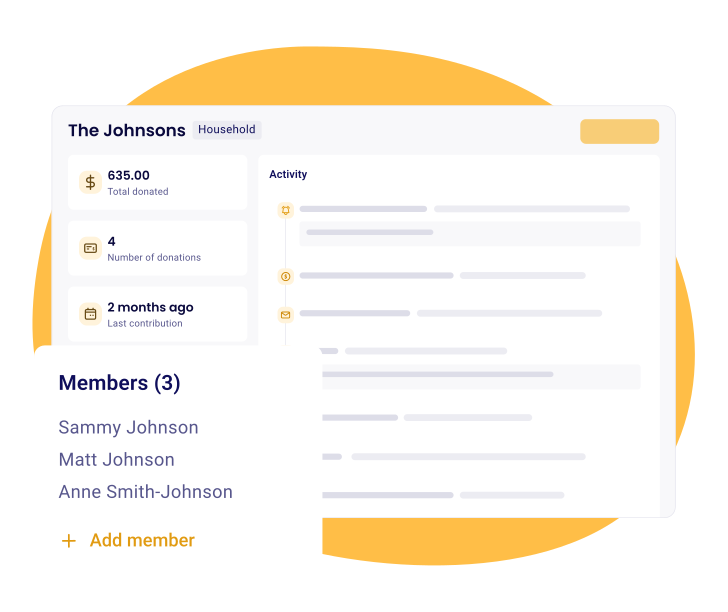
Organize by household and company
- Group related contacts into households and companies
- Gift Aid declarations and receipts auto-generated and attributed to the right fund
- Spot your true top supporters, not just individuals
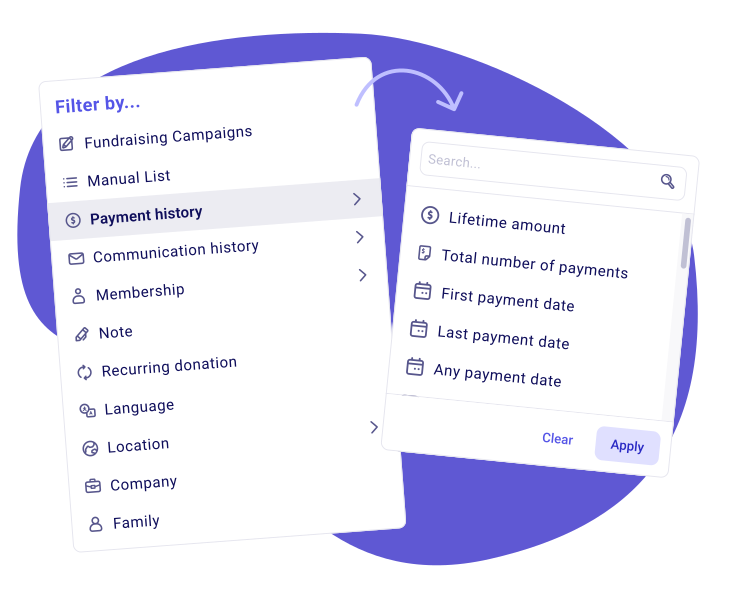
Use smart filters to get to organise your donors
- Filter by giving history, campaign, amount, or any custom property
- Turn any question you ask on a form into a property you can segment on
- Save any filter as an auto-updating list, like lapsed donors or your top 10%
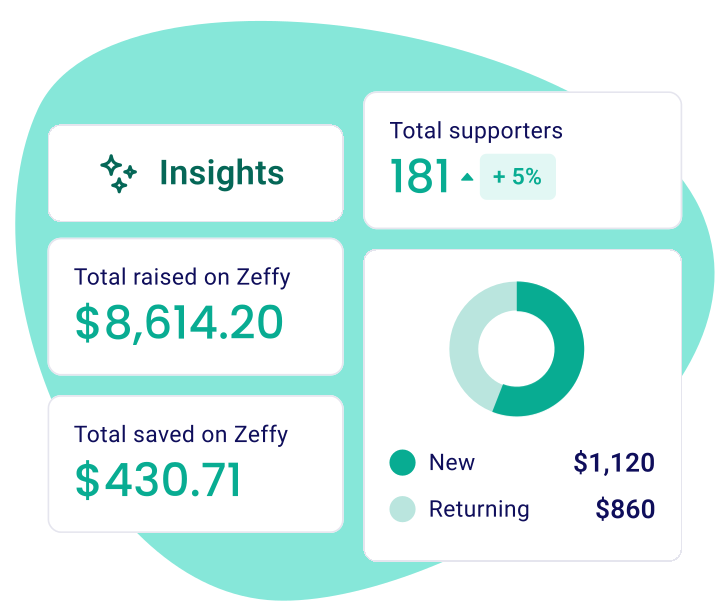
See your donor health at a glance
- Track recurring revenue, new monthly donors, and predicted yearly support
- Spot recurring donors who recently lapsed and reach out
- Updates on its own in your dashboard, no spreadsheets required

Cash, cheque, in-kind. All tracked.
- Log offline donations against any campaign
- Tax receipts auto-generated and attributed to the right fund
- See offline and online giving in one report

Your one-stop shop for managing and staying in touch with your donors.

.png)
Frequently asked questions
Is Zeffy actually a CRM, and does it work for a small charity or a large one?
Yes, and it is the same CRM either way. Every supporter gets a profile that fills itself in: their giving history, the events they have attended, their membership status, the emails you have sent them and whether they opened them, plus any notes and lists you add. Nothing to configure first and no database background needed, which matters when the person looking after supporter data is also the person running the campaign.
For a larger charity the argument is not simplicity, it is that nothing changes as you grow, and the tools a bigger team needs are already in there. Group families into households and see their combined giving, roll everyone who gives from the same employer into one company profile, track pledges, log offline cheques, add your colleagues with their own permissions. A charity with 40,000 contacts pays what a charity with 300 pays.
Email works the same way. Newsletters and appeals to your supporters are included at no cost, and the confirmation and thank-you emails Zeffy sends on your behalf are never counted against your sending limits.
Is Zeffy's supporter CRM really free?
Free means the whole product, not a starter tier. No subscription, no per-contact pricing, no transaction fee and no card fee. Nothing is held back behind an upgrade either, so the CRM you are using in year three is the one you started with on day one. The full breakdown is on our pricing page.
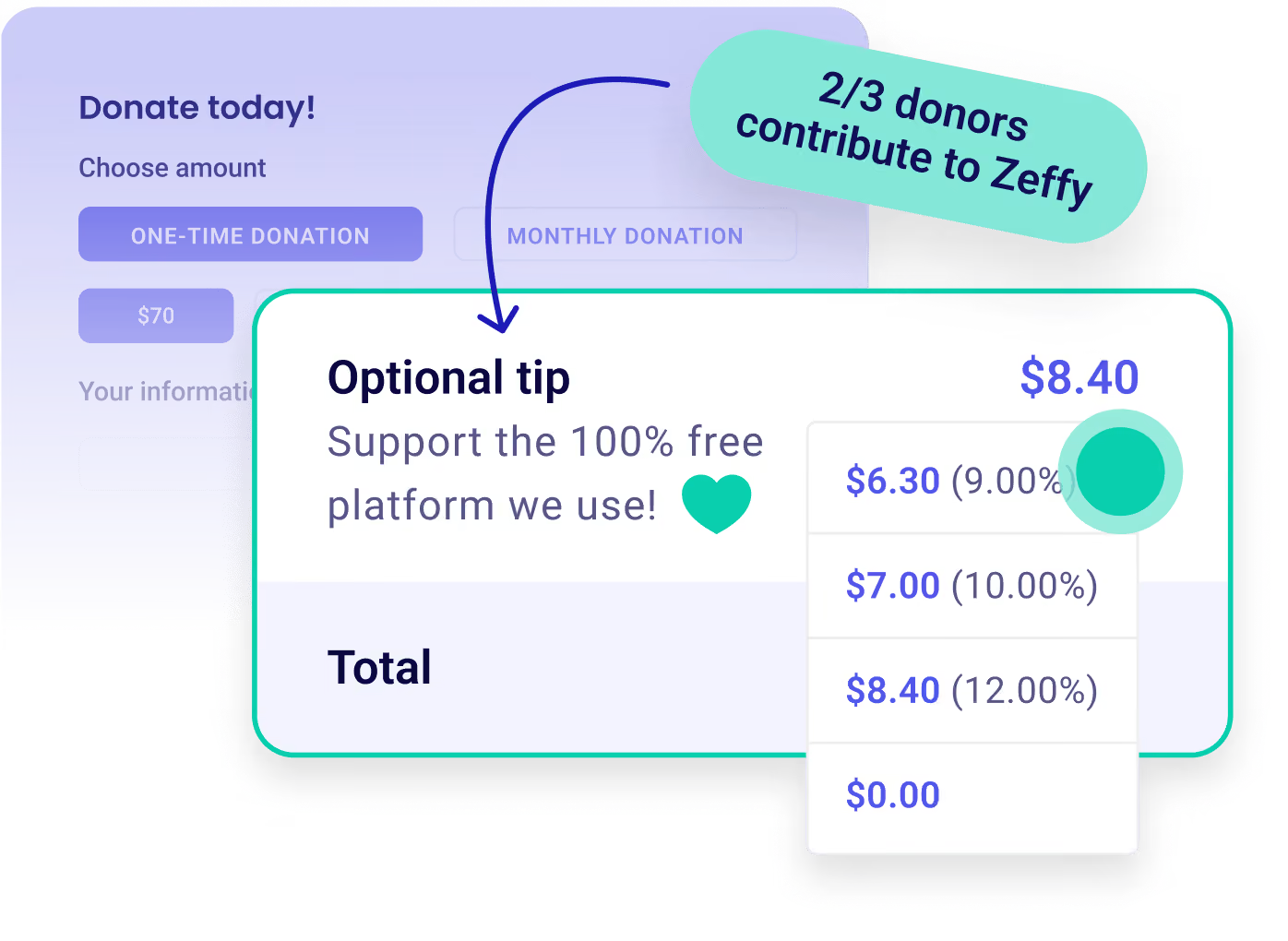
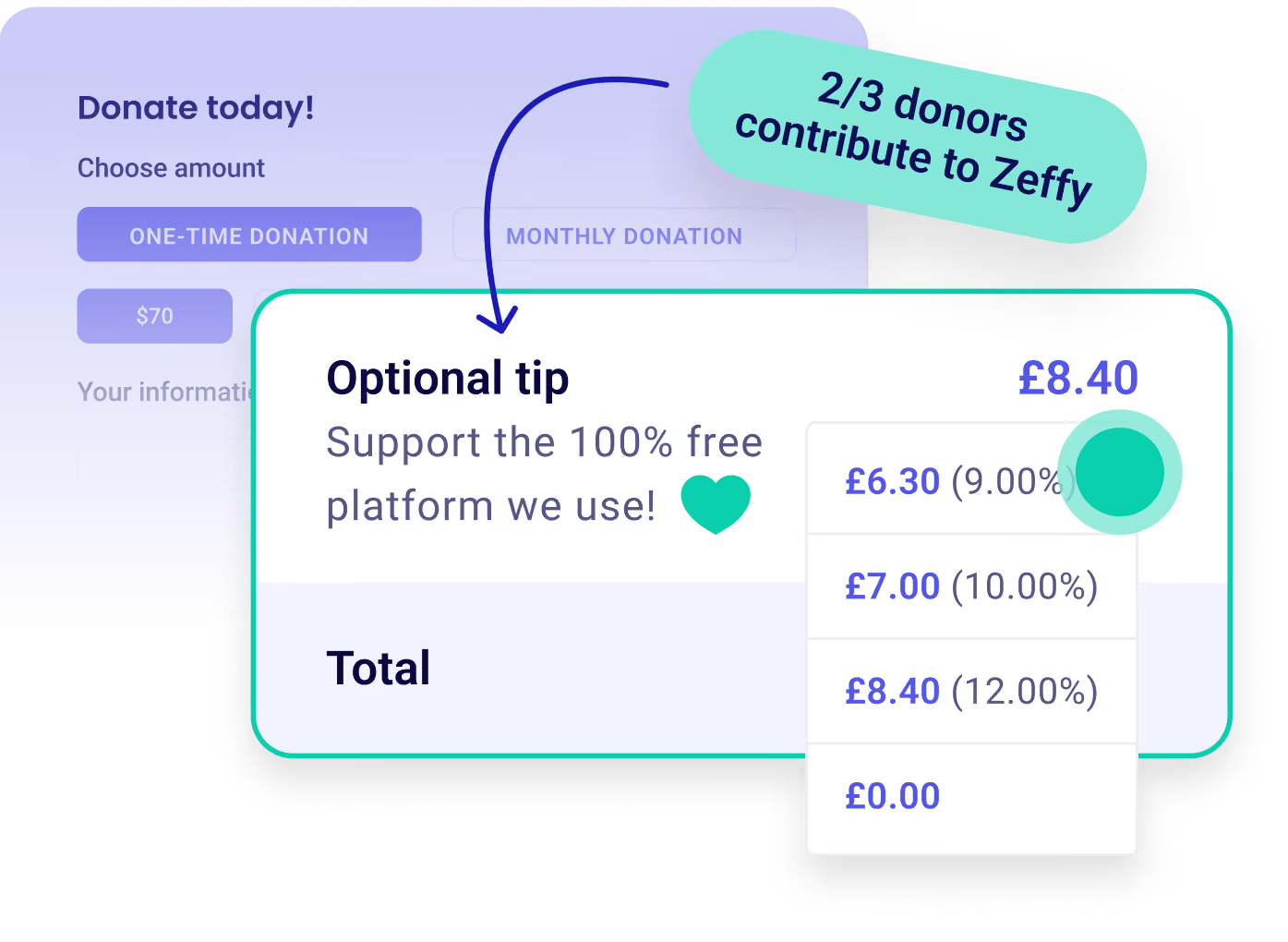
Zeffy is free to your charity with no conditions attached. Separately, anyone paying through a Zeffy checkout is offered the option to add a voluntary contribution, and they are free to skip it. The one thing you can ever pay Zeffy for is postage, if you use Donor Mail to send printed letters.
How many supporter contacts can I store for free?
There is no contact limit, and no paid contact tier, so the size of your list never changes your price. Add every donor, every ticket buyer, every member and every lapsed supporter from ten years ago, and it still costs nothing.
Contact-tier pricing is the norm elsewhere, and it does something worse than cost money: it nudges teams into deleting records to stay inside a band. Keep everyone. The history is what makes a lapsed-supporter appeal or a year-on-year comparison possible later.
Can I import my existing contacts and donation history?
Yes, both, using two templates: one for contacts and one for payment history. If your list lives in Mailchimp you can connect the account and pull your contacts straight across instead. Contacts bring over first and last name, email, language, full address, phone, notes, lists and company name. The payment import carries each past gift and attaches it to the right contact, creating the contact if they are new. Imports run file by file, so a large database comes over in a few batches.
Email is how Zeffy identifies a contact, so tidying your addresses before you upload prevents most duplicates. If some get through anyway, Zeffy flags the likely ones and you compare them side by side and merge, choosing which details to keep.
One thing to plan before you cancel anything: regular gifts cannot be transferred from another platform. Card details do not move between providers, so monthly donors and auto-renewing members need to start their regular gift again on a Zeffy form. Most charities run both platforms for one cycle and email their regular donors to move across.
Can I segment supporters and email a specific segment?
Yes, and the filters are the useful part. Segment by campaign, total amount given, date of a transaction, whether someone is a regular donor, membership, a manual list, a note, language, location or company. Stack as many as you like and choose whether a contact has to match all of them or any one of them, then save the result as a list and email it from the same screen.
In practice that looks like: everyone who has given more than £500 in total but nothing in the past year, for a lapsed-supporter appeal. Regular donors in one town, for a local thank-you. Everyone who bought a ticket to last year's quiz night and has not bought one this year, three weeks before the doors open. No exporting to a spreadsheet and no reuploading anywhere else.
Can I manage donations, event attendees and members from the same contact record?
Yes, and it happens without anyone entering it. Any donation, ticket, shop purchase, membership signup or peer-to-peer page creates that person's profile or updates the one you already have, from what they entered at checkout. Someone who gave in December, bought two tickets to the spring ball in April and renewed a family membership in June is one record carrying all of it, alongside every email you have sent them and any notes your team has added.
You can group records too. Households put family members together so you see their combined giving and thank them once, at one address. Companies do the same for everyone giving from the same employer, matched on their email domain. Zeffy will even suggest a grouping when it spots contacts who look like they belong together. Offline gifts live in the same place: log a cheque or a cash donation against the contact and it sits next to their online giving.
Are Gift Aid declarations kept on the supporter's record?
Yes. Gift Aid declarations and receipts are generated and attributed to the right fund, and they sit on the supporter's record beside the donation they belong to. The declaration, the gift and the person are one thing to look at rather than three, which is what makes a claim straightforward to assemble later.
Worth being precise about the mechanism: Gift Aid runs through a Swiftaid account you connect to Zeffy, and once it is connected it applies across all your eligible forms rather than form by form. It adds 25% to eligible donations from UK taxpayers, and it is only available to UK charities registered with HMRC for tax purposes.
How is Zeffy different from Beacon or Donorfy?
Start with the bill. Beacon prices on contact count: Starter begins at £37 a month for 500 to 2,000 contacts and Standard at £127 a month for 2,500 to 50,000, so the subscription follows the size of your database. Donorfy prices by number of constituents too, and quotes its add-ons excluding VAT, which is a real cost on top for a UK charity. Zeffy is £0 at any list size.
Both of them take 0% on the payments themselves, so the difference is not transaction fees, it is the subscription and what sits inside it. Beacon runs card processing through Stripe. With Zeffy there is no subscription and no card fee, because Zeffy absorbs the card cost rather than passing it on.
What you get is contact profiles that populate themselves from every campaign, stacked filters saved as lists, households and companies with combined giving, duplicate detection with side-by-side merging, pledge tracking, offline gift logging, and email from the same screen as your data. What you do not get is a field-mapping project before you can use any of it. One honest difference: Donorfy handles Gift Aid claims inside its own product, where on Zeffy Gift Aid runs through a Swiftaid account you connect to your Zeffy account.
Does Zeffy connect to tools like Mailchimp or QuickBooks?
QuickBooks connects natively and it is free. Map each campaign to an income account once, and every payout arrives already broken down by campaign or fund, with Zeffy emailing you if a sync ever fails. Four things a treasurer should know: the sync is one way, so changes in QuickBooks do not come back to Zeffy; it starts from the day you switch it on rather than backfilling your history; refunds do not sync, so those stay a journal entry on your side; and it posts one deposit per payout rather than individual transactions. Setup is on the QuickBooks integration page.
Mailchimp is a different question, because for most charities Zeffy replaces it rather than connecting to it, though you can connect your Mailchimp account to bring your contacts over when you switch. Your contacts are already here, so you build newsletters from templates, schedule them, send to a saved segment and track opens and clicks without exporting a list or paying for a second tool. Mailchimp's free plan is capped on both contacts and monthly sends, and it cannot accept a donation. Its paid plans meter on the same two things, so a list that grows costs you more on both counts.
Anything else connects through Zapier, Salesforce included, along with around a thousand other tools. There is also a Zeffy API with read access to payments, contacts and campaigns that you switch on from your dashboard, plus outbound webhooks that fire when a payment completes.
Can I add custom fields for things like a birthday or how someone prefers to be contacted?
Yes. Custom contact properties let you store what matters to your charity beyond name and email, in a format that fits: text, number, phone, email, date, yes or no, or a single or multi-select list. Create one under Manage contact properties and it appears on every contact in your database. You can also reuse it as a question on your fundraising forms, so it fills itself in at checkout instead of being typed in later.
Custom properties are still rolling out, so if you do not see them on your contacts yet they are on the way. Reporting has not caught up either: custom answers show on the contact record and come through on a contact export, but they cannot be filtered or grouped inside a report. If you need to segment on something today, a contact's Notes or a list will both do it, since both are filter types.
100,000 nonprofits fundraise with Zeffy
Zeffy has been supporting nonprofits for the last 7 years. Providing 100% free and user friendly fundraising tools.


Supporting your fundraising efforts from start to finish


Zeffy makes money exclusively from optional tips from your donors
.webp)

