We use cookies to improve your experience on our platform. By clicking “Accept all cookies”, you agree to the storing of cookies on your device to enhance site navigation, analyze site usage and assist in our marketing efforts.
Cookies required for basic website functionality.
Cookies used to deliver content most relevant to you and your needs.
Cookies used to deliver content most relevant to you and your needs.
Cookies that help understand the performance of the website, how users interact with it and to identify bugs.
How is Zeffy free?
How is Zeffy free?
Zeffy relies entirely on optional contributions from donors. At the payment confirmation step - we ask donors to leave an optional contribution to Zeffy.
Affordable, All-in-One Fundraising Tools for Local Events (2026)
June 8, 2026
⚡TL;DR — The Short Answer
Verdict: Most "affordable" fundraising platforms still take 3% to 7% of every ticket, raffle entry, and auction bid. On a $5,000 community event, that's $150 to $700 leaving your mission. One platform takes $0.
What works: Zeffy covers tickets, auctions, raffles, peer-to-peer campaigns, donations, QR check-in, and Tap to Pay on iPhone in one login at $0 in fees.
What doesn't: Every other platform in this guide either charges a per-transaction percentage, a monthly subscription, or forces a piecemeal stack of separate tools.
Best for: Volunteer-led nonprofits running $3K to $10K community events (5Ks, galas, trivia nights, neighborhood auctions) who need one tool that handles event day without a tech team.
Worth considering if: Your organization already has an enterprise CRM contract (DonorPerfect, OneCause) and event tools are a secondary need billed to an existing budget line.
A $20 ticket to your community 5K should fund the cause, not a 6% software stack. But once you stack a ticketing platform, a payment processor, a separate auction tool, and a CRM together, a typical $5,000 local event can quietly lose $300 to $500 before a single dollar reaches the mission. For a volunteer-run team, that's the difference between buying the next year's race medals and not.
This guide answers a narrower question than most "best fundraising software" lists: which affordable, all-in-one platforms actually let a small or volunteer-led nonprofit run a $3K to $5K community event, tickets through tax receipts, without bleeding fees or stitching together four separate tools? If you came here looking for event ideas first, head to our 101+ fundraising ideas guide and come back when you know which event you want to run.
10 best affordable, all-in-one fundraising tools for local events
1. Zeffy: the only zero-fee, all-in-one platform for local events
2. Eventbrite: built for concerts, not community fundraisers
3. Donorbox: donation forms first, events second
4. GoFundMe Pro (formerly Classy): for hybrid galas, not neighborhood 5Ks
5. DonorPerfect: a donor CRM with event tools bolted on
6. OneCause: engineered for $100K+ galas
7. PayPal: a processor, not a fundraising platform
8. Square: a POS, not a nonprofit tool
9. Ticketstripe: basic ticketing only
10. Qgiv: pretty pages, stacked fees
What to look for in affordable, all-in-one fundraising tools for local events
Most "best of" lists rank platforms by feature count. For a $3K to $5K community event run by a volunteer committee on a Tuesday night, feature count is the wrong metric. Five things actually matter:
1.Effective fee load on a $5,000 local event. Not the sticker price. The real percentage and per-ticket cost stripped from $5,000 gross by the time you cash out. A 6% effective fee on a $5K event is $300 that won't fund the mission.
2.All-in-one event coverage: tickets, auction, raffle, donations in one login. A volunteer team cannot manage four tools. A platform that only does ticketing forces a piecemeal stack and duplicates fees across every module. Look for free event ticketing built for nonprofits that comes with auctions, raffles, and donations attached, not sold separately.
3.Day-of execution: QR check-in, Tap to Pay, walk-up sales. Local events live or die on event day. If volunteers can't check guests in fast or accept a $20 walk-up payment without a card terminal, the platform fails the actual job.
4.Setup friction for a volunteer-led team. If a tool needs a demo call, a contract, or a tech-savvy admin to configure, a PTA or 5K committee will never finish setup. Time-to-first-ticket-sold matters more than feature breadth.
5.Pricing transparency. Small nonprofits compare costs on a Tuesday night, not on a sales call. Any platform whose pricing requires a demo has self-selected out of the local-event market.
The 10 platforms below are scored on those five criteria. Pricing is current as of 2026; verify any competitor's published rate before you sign up.
1. Zeffy: the only zero-fee, all-in-one platform for local events
Pricing: $0. No platform fee, transaction fee, or credit card fee.
When small nonprofit teams run events, they're rarely just selling tickets. They're running raffles, managing silent auctions, launching peer-to-peer campaigns, and collecting donations at the same time. Zeffy is the only 100% free fundraising platform that combines ticketing, auctions, raffles, peer-to-peer, donations, and donor tracking in one place. There is no monthly fee, no transaction fee, no upgrade fee. 100K+ nonprofits use Zeffy and they've raised $2B+ through the platform.
2. Eventbrite: built for concerts, not community fundraisers
Pricing: 3.7% + $1.79 service fee per paid ticket plus 2.9% payment processing (source: eventbrite.com/pricing, verified 2026-06-02).
Category: Ticketing only.
Eventbrite was built for concerts and conferences. On a $5K local event with 200 $25 tickets, roughly $687 is stripped before a single auction item sells, and there are no native fundraising tools.
Effective fee on a $5K event: Roughly 6.6% plus $1.79 per ticket. On 200 $25 tickets, about $687 to Eventbrite.
All-in-one: No. Ticketing only. No auctions, raffles, donation forms, or automatic tax receipts.
Day-of execution: The Eventbrite Organizer app handles QR scan. Walk-up payments require a third-party reader.
Setup: Self-serve but heavier than a small event needs.
Pricing: 3.95% platform fee on events plus 2.2% + $0.30 processing (source: donorbox.org/pricing).
Category: Donation forms with event ticketing attached.
Donorbox is in the same product class as Zeffy but stacks a 3.95% events fee on top of processing. On a $5K event that's about $320 gone before donor tips even arrive.
Effective fee on a $5K event: 3.95% platform fee on events plus 2.2% + $0.30 processing. About $320+ on $5K.
All-in-one: Partial. Donation forms and event ticketing yes. No native auctions, no raffles, no built-in P2P for events.
Day-of execution: Donorbox Live Kiosk is $80 per month per device. No Tap-to-Pay equivalent in the Standard tier.
Setup: Self-serve. Fast to embed on an existing website.
4. GoFundMe Pro (formerly Classy): for hybrid galas, not neighborhood 5Ks
Pricing: Essentials tier 2.4% + $0.30 per card transaction, 2.5% PayPal/Venmo (source: pro.gofundme.com/c/pricing). Custom tier is sales-quoted. The Live virtual-event module is a paid add-on.
GoFundMe Pro is built for hybrid galas with virtual production, not a $5K neighborhood 5K. The Custom tier requires a sales call and the Live module is an add-on most local events do not need.
Effective fee on a $5K event: Essentials 2.4% + $0.30 per card transaction. Custom tier pricing is not public.
All-in-one: Donations, P2P, ticketing, auctions (Live module is a paid add-on). No native raffles.
Day-of execution: Virtual-first feature set. No Tap-to-Pay equivalent published for walk-up sales.
Setup: Custom tier requires a demo. Essentials is heavier than a volunteer team needs.
Transparency: Custom tier pricing not publicly disclosed. Live add-on is quoted on demo.
5. DonorPerfect: a donor CRM with event tools bolted on
Pricing: Core tier starts at $99 per month (source: donorperfect.com/pricing). Plus and Pro tiers are custom-quoted.
Category: Donor CRM.
DonorPerfect is a donor CRM first; event tools (ReadySetAuction) are bolted on. At $99 per month, the subscription alone exceeds the fees most $5K local events would pay elsewhere.
Effective fee on a $5K event: $99 per month subscription plus roughly 2.89% + $0.30 processing. The subscription dominates the math at small event sizes.
All-in-one: No. CRM-first. Auctions via ReadySetAuction add-on. No native raffles or P2P built for events.
Day-of execution: No Tap-to-Pay. No native QR check-in.
Setup: CRM-grade onboarding. Better suited to full-time staff than a volunteer committee.
Transparency: Core $99 per month published. Plus and Pro custom-quoted.
Pricing: Annual contracts starting in the multi-thousand range. Custom-quoted, not published.
Category: Enterprise gala software.
OneCause is engineered for $100K+ galas with paddle raise and mobile bidding. The ratio of fees to a $5K event makes it a non-starter for a community committee.
Effective fee on a $5K event: Annual contract floor plus processing. The subscription dominates the math.
All-in-one: Strong on auctions, paddle raise, mobile bidding, and ticketing. Modules priced separately.
Day-of execution: Built for in-person gala check-in and checkout flows.
Setup: Annual contract, onboarding cycle. Not a volunteer tool.
7. PayPal: a processor, not a fundraising platform
Pricing: 1.99% + $0.49 per donation for verified 501(c)(3) nonprofits, 2.89% + $0.49 for standard nonprofit accounts (PayPal nonprofit pricing).
Category: Payment processor.
PayPal moves money but does not sell tickets, run an auction, or issue tax receipts. Using it alone for a local event means duct-taping three or more other tools around it.
Effective fee on a $5K event: Verified 501(c)(3) rate 1.99% + $0.49. Standard nonprofit 2.89% + $0.49.
All-in-one: No. Processor only. No ticketing, auctions, raffles, donor records, or tax receipts.
Day-of execution: PayPal Zettle handles in-person but is a separate product and stack.
Setup: Most volunteers already have a PayPal account.
Square charges nonprofits the same standard rates as any business and was never built for nonprofit event fundraising. No receipts, no donor records, no auctions.
Effective fee on a $5K event: 3.3% + $0.30 online. No nonprofit discount.
All-in-one: No. POS and payments only. No fundraising features.
Day-of execution: Best-in-class in-person tap-to-pay hardware and software.
Setup: Fast, self-serve.
Transparency: Rates published.
9. Ticketstripe: basic ticketing only
Pricing: 1.5% + $0.50 per ticket nonprofit rate plus card processing (verify on ticketstripe.com before booking).
Category: Ticketing only.
Ticketstripe is pure ticketing with VIP/hidden tickets and pay-what-you-wish pricing. There are no auctions, raffles, donations, CRM, or tax receipts attached.
Effective fee on a $5K event: 1.5% + $0.50 per ticket plus card processing.
All-in-one: No. Ticketing only.
Day-of execution: Ticket scanner available. No Tap-to-Pay, no robust check-in beyond scanning.
Setup: Quick. An event page goes live in minutes.
Transparency: Nonprofit rate published.
10. Qgiv: pretty pages, stacked fees
Pricing: 3.95% + $0.30 per transaction plus a monthly subscription. Event and P2P modules are paid add-ons (verify on qgiv.com).
Category: Branded donation and event pages.
Qgiv produces polished, branded event pages, but the 3.95% + $0.30 per transaction stacked with monthly fees makes it expensive at community scale, and core event modules cost extra.
Effective fee on a $5K event: 3.95% + $0.30 per transaction plus monthly subscription.
All-in-one: Partial. Auctions, peer-to-peer, and ticketing tools often require paid plans.
Day-of execution: No built-in check-in or Tap-to-Pay for day-of needs.
Setup: More complex setup and dashboard navigation than a volunteer team can absorb quickly.
Transparency: Base rate published. Add-on pricing varies.
Side-by-side cost comparison: what you actually pay
Cost to run a $5,000 local fundraiser
Most community events sell 150 to 250 tickets at $20 to $30 each. Here's what each platform takes from a typical $5,000 gross (modeled on 200 tickets at $25). The math is shown row by row so it's auditable, not opaque.
$5,000 gross. 2.4% + $0.30 per transaction x 200 = $120 + $60 = $180.
$180
$4,820
PayPal (verified 501c3)
$5,000 gross. 1.99% + $0.49 x 200 = $100 + $98 = $198. Plus the cost of a separate ticketing tool.
$198 (processing only)
$4,802 (before ticketing stack)
Square (online)
$5,000 gross. 3.3% + $0.30 x 200 = $165 + $60 = $225. Plus the cost of a separate ticketing or fundraising tool.
$225 (processing only)
$4,775 (before fundraising stack)
Zeffy is the only row that ends in $5,000. Every other row either takes a percentage of the gross or forces a piecemeal stack with additional tools on top of the processing line shown.
Real cost comparison for a $10,000 fundraiser
At twice the scale, the gap widens. A common piecemeal stack (Eventbrite for tickets, PayPal for donations, a separate auction tool, a CRM subscription) lands somewhere around $2,178 in combined fees and software costs on a $10,000 event. The same event run end-to-end on Zeffy costs $0.
Approach
Monthly costs
Transaction fees
Annual software
Total cost
What you keep
Piecemeal tools
$109 to $399 per month
$670+ in fees
$899+ in licenses
$2,178+
$7,822
Zeffy all-in-one
$0 per month
$0 in fees
$0 in licenses
$0
$10,000
Piecemeal tools versus a true all-in-one platform
What you need
Piecemeal approach
Zeffy all-in-one
Event ticketing
Eventbrite: 3.7% + $1.79 per ticket + 2.9% processing
Built-in, $0 fees
Silent auctions
OneCause: custom annual contract
Built-in, $0 fees
Raffles
Auction-only tools: ~$899 per year + 2% of proceeds
Built-in donor tracking and contact management, $0 fees
Check-in
Manual lists or a separate app
QR codes, $0 fees
Total cost
4 to 6 tools + $200 to $500+ per month + % of ticket sales
1 platform, always $0
Time cost comparison
Task
Piecemeal approach
Zeffy all-in-one
Setup
6+ hours (multiple logins, integrations)
30 minutes (one platform)
Data entry
Manual export and import between tools
Automatic sync
Training volunteers
Learn 4 to 6 different platforms
Learn one simple platform
Event-day management
Juggle multiple apps and systems
One dashboard
Post-event reporting
Combine data from multiple sources
One comprehensive report
The bottom line: a small team saves about $2,000 and dozens of hours by choosing one platform built for nonprofit fundraising.
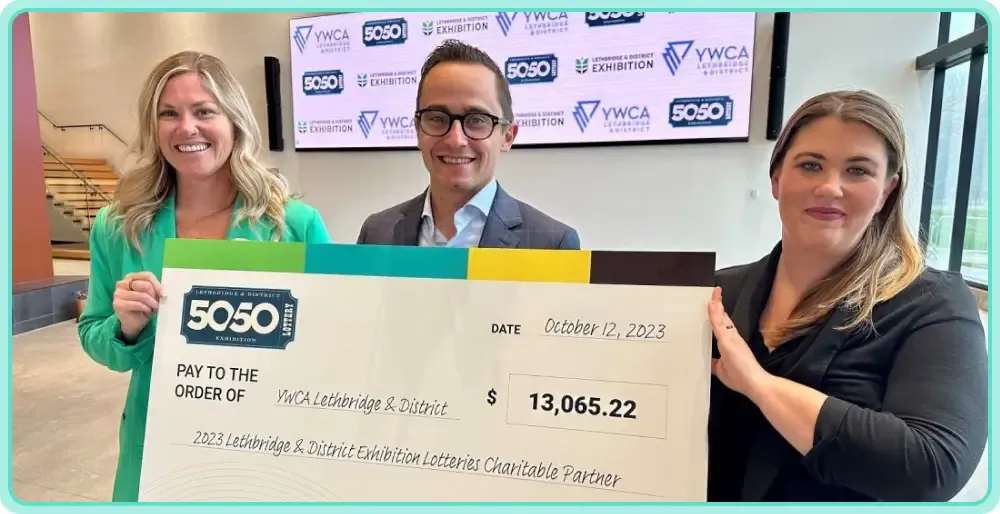
How YWCA Lethbridge saved $2,900 on their annual gala
Affordability isn't a hypothetical for community-scale nonprofits. It's the difference between funding next year's program and not. Here's what it looks like when a small team makes the switch.
Like many nonprofit teams, YWCA Lethbridge used to rely on Eventbrite and PayPal to manage events like their annual Royal Gala. With multiple tools came multiple fees and a lot of extra work. When they heard about Zeffy, a 100% free event and fundraising platform, they were skeptical.
Could it really do everything they needed without cutting into the funds they raised? A team member who had used Zeffy before gave them the confidence to give it a try. They started small, testing Zeffy for ticket sales to their bands and brunch events. After a smooth experience and strong results, they adopted Zeffy for their biggest fundraiser of the year: the Royal Gala.
With Zeffy, they managed ticket sales, collected donations, organized volunteers, and sent donor communications all in one place without paying a single platform fee. To date, they've used everything from donation pages to events, e-commerce, and a membership program to raise over $58,000 for their mission, and saved over $2,900 in fees on top of that.
I don't even think I know everything Zeffy can do. The fact that it's free is crazy to me, but excellent. — Catherine Champagne, External Relations Director, YWCA Lethbridge
Other small organizations have seen the same pattern. Dearborn Educational Foundation saved $2,812 in fees while bringing the community together around engaging fundraising events. Autism Meets Faith has raised $39,034 and saved $1,952 in fees since switching to Zeffy.
The cheapest way to fundraise locally is to use a platform that charges no platform fee, no transaction fee, and no credit card fee, so every dollar of every $20 ticket and $10 raffle entry funds the cause. Zeffy is the only all-in-one nonprofit fundraising platform that does this. Every alternative either charges a percentage of the gross (typically 3% to 7%) or requires a paid subscription. On a $5,000 community event, that gap is $150 to $400 that stays with your nonprofit instead of the software company.
Most fundraising platforms charge a combined 3% to 7% on the gross of a paid event, broken into a platform fee (often 2% to 4%) and a payment processing fee (typically 2.2% to 2.9% plus $0.30 per transaction). Some platforms also charge a monthly subscription on top of the per-transaction fees. On a $5,000 local event with 200 tickets, that's roughly $150 to $700 stripped off the top before the nonprofit sees a cent. Zeffy is the exception: $0 platform fee, $0 transaction fee, $0 credit card fee.
Yes. You can run a silent auction with zero fees on Zeffy: mobile bidding via QR code, item catalog, automatic winner notifications, and integrated checkout. Most auction platforms charge either a per-event fee, a percentage of proceeds, or an annual subscription in the $899 to multi-thousand range. Zeffy is the only platform that runs the full auction stack at $0.
Yes. You can host an online raffle for free on Zeffy, including ticket sales, automatic tax receipts where applicable, and winner selection. Raffles are subject to provincial or state licensing rules, so confirm your jurisdiction's requirements with the relevant gaming authority before launching.
Small community events (5Ks, bake sales, trivia nights, neighborhood auctions) need four things in one tool: ticketing, donations, an auction or raffle module, and day-of execution (QR check-in plus a way to take walk-up payments without a card terminal). Of the platforms in this guide, only Zeffy bundles all four at $0. Eventbrite handles ticketing only. Donorbox is donation-form first. GoFundMe Pro is built for virtual galas. The rest are either CRM-first or POS-first and stitch together a piecemeal stack.
Yes. Zeffy is the only truly free event fundraising platform: no platform fee, no transaction fee, no credit card fee. Donors can optionally add a contribution at checkout, which is how Zeffy operates, but it's never required and your nonprofit always keeps 100% of what you raise.
Yes. Zeffy supports virtual, hybrid, and in-person events, including benefit concerts, trivia nights, auctions, and school galas. QR code check-in, Tap to Pay on iPhone for walk-up sales, and mobile ticketing handle the day-of experience without manual attendee tracking or chaotic check-in queues.
Event management software focuses on logistics: RSVPs, schedules, badges, and emails. Event fundraising software is built to raise more money: ticketing, raffles, auctions, donations, peer-to-peer campaigns, donor tracking, and real-time check-ins, all wired together so a single dashboard shows every dollar coming in. Zeffy is the latter, built for nonprofits.
Explore More Event Fundraising Guides for Your Specific Needs
Look for people who attend related events, follow relevant Facebook groups, or subscribe to aligned newsletters.These aren’t just potential donors—they’re your future advocates.
Look for people who attend related events, follow relevant Facebook groups, or subscribe to aligned newsletters.These aren’t just potential donors—they’re your future advocates.



.webp)


.webp)

