We use cookies to improve your experience on our platform. By clicking “Accept all cookies”, you agree to the storing of cookies on your device to enhance site navigation, analyze site usage and assist in our marketing efforts.
Cookies required for basic website functionality.
Cookies used to deliver content most relevant to you and your needs.
Cookies used to deliver content most relevant to you and your needs.
Cookies that help understand the performance of the website, how users interact with it and to identify bugs.
How is Zeffy free?
How is Zeffy free?
Zeffy relies entirely on optional contributions from donors. At the payment confirmation step - we ask donors to leave an optional contribution to Zeffy.
QR codes for UK charities: uses, benefits and a free setup guide (2026)
July 6, 2026
⚡TL;DR — The Short Answer
QR codes give UK charities an instant, contactless route from physical materials to digital donation forms, and when linked to Gift Aid-ready pages they turn every scan into a claimable gift.
Static codes suit printed materials; dynamic codes let you update the destination and track every scan.
A QR code paired with a Gift Aid declaration means a fete visitor or direct-mail recipient can donate and complete the Gift Aid tick-box in one step.
Place codes on direct mail reply slips, event signage, social media posts and annual reports to meet donors wherever they are.
Zeffy generates a QR code for every fundraising form at no cost to your charity, ever.
For most small UK charities, cash is no longer the default at events. Village halls, fetes, quiz nights and community dinners are full of supporters who want to give but have no coins in their pocket. A QR code on a table tent or a poster changes that instantly: one scan, one tap, gift done. And when that form captures a Gift Aid declaration at the same time, a spontaneous donation becomes a claimable contribution worth 25p per £1 to your charity at no extra cost to the donor.
Mobile giving has grown sharply in the UK, and the gap between someone seeing your appeal and acting on it has never been shorter. QR codes close that gap across every channel: direct mail, event signage, social media, annual reports and beyond.
This guide covers QR codes in detail, including their types and benefits. It also provides step-by-step instructions for creating donation-specific QR codes with Zeffy and shares best practice for their use across every channel.
Quick Response (QR) is a two-dimensional code you can scan using a smartphone camera. In a matter of seconds, it takes the user to the desired online page.
Here is how it works:
Open the smartphone camera and choose the scanner option.
Point the camera at the QR code and hold it steadily until the link appears.
Tap the link and go straight to the website or page.
These codes have black squares arranged in a pattern on a white background. The unique square pattern contains data, such as a URL. Phone cameras and similar devices can read this data and take you to the linked website, social media page, PDF, or landing page.
Both iOS and Android smartphones now have built-in QR code scanners in the standard camera app. No separate app is needed.
Charities can use QR codes to link any page they want supporters to access, such as their website, event registration page, or donation form.
Types of QR codes for charities
1. Static QR codes
A static QR code contains fixed information that does not change once created. It is like a permanent digital barcode that stores data such as a website URL, contact information, or plain text. When scanned, it always leads to the same destination or displays the same content.
Static codes are simple to create and do not require ongoing management, making them ideal for print materials or long-term use.
They cannot be edited after generation. If you need to update the information, you will have to create a new code. They are best for stable, unchanging content or links.
2. Dynamic QR codes
A dynamic QR code is an advanced version of the static one. Charities can use these codes for time-sensitive information that needs to change.
Dynamic codes are also trackable, allowing you to see how many times they are scanned. The data can help your charity determine whether its campaigns are gaining traction. You can make adjustments to the campaign marketing strategy by analysing the information.
For instance, a charitable organisation can use a dynamic code to promote a time-bound donation match campaign. This code allows the charity to update the latest donation match status to incentivise donors.
How QR codes help your charity
QR codes make it easy for people to donate to your cause from their phone. They provide a safe and convenient way for supporters to learn about your charity and show generosity.
The immediate access QR codes offer can create a sense of urgency, encouraging people to donate on the spot rather than postponing their decision.
Here is how these codes can benefit your charitable organisation.
Cost-efficient
Most QR code generators are inexpensive to use and straightforward to integrate. You can generate and share QR codes to accept payments, promote fundraisers, offer invite links and more with a few clicks.
You do not need technical knowledge or expertise to use these codes, saving resources on hiring external help.
Accessible and flexible
These patterned custom QR codes are a great way to promote mobile donations and flexible giving options. Anyone with a smartphone can access a payment link for online donations by scanning the code, with no delay or lengthy process.
QR codes can link to diverse content types, including websites, videos, contact information, or social media profiles. This flexibility makes them ideal for diverse use cases, from boosting marketing efforts and educating supporters to managing fundraising events.
Supporter and donor engagement
Placing QR codes on posters, flyers and event tickets can drive traffic to a charity's website or social media. Charities can lead supporters towards interactive content such as videos, stories or surveys. It expands your organisation's reach and supporter base.
Charities can further link QR codes to feedback forms or surveys to gather valuable insights from donors and volunteers. All of these aspects help increase engagement in different ways.
Capture Gift Aid on offline gifts
This is one of the most valuable applications of QR codes for UK charities and one with no direct equivalent elsewhere. Under the Gift Aid scheme, your charity can reclaim 25p from HMRC for every £1 donated by a UK taxpayer. To make a claim, you need a Gift Aid declaration from the donor: their full name, home address, the charity's name, and confirmation that they are a UK taxpayer who wants their donation treated as Gift Aid.
A QR code at a fete stall, printed on a direct mail reply slip, or displayed on a banner at a community event takes a donor directly to a Gift Aid-ready form that captures all of those details in one step. That transforms a spontaneous offline gift into a claimable donation worth 25% more to your charity at no extra cost to the donor.
To reclaim Gift Aid, your charity must be recognised by HMRC (a separate registration from the Charity Commission). Keep declarations for at least six years and submit claims via HMRC's Charities Online service.
One important note: Gift Aid does not apply to raffle ticket purchases, event ticket sales, or auction lots sold at fair value. The donor must be making a voluntary gift, not receiving goods or services in return. Cite this clearly on any form that mixes donation and ticketing options. (Charity Tax Group is a reliable technical reference if you have edge-case queries on Gift Aid eligibility.)
Create a free QR code for donations in 7 steps with Zeffy
You can use several free online QR code generators to create unique codes. Go to the tool, provide the link to a donation page, website, or any other online form, and the QR code generator will set up the code.
When you create a fundraising campaign with Zeffy, it automatically generates a QR code at no cost at all.
Here are the steps to set up a QR code for donations with Zeffy:
1. Access your Zeffy dashboard by logging into your account.
2. Go to the 'Forms' section on the dashboard.
3. Hover over the form you want to share and click 'Edit'.
4. At the top of the form page, click the 'Share my Form' button.
5. A pop-up window with sharing options will appear.
6. Click on the 'QR code' option in the pop-up window.
7. Click 'Copy Image' to copy the QR code to your clipboard for pasting into communication materials, or click 'Download Image' to save the QR code as a PNG file on your device.
Generate your own QR code instantly
Already have a donation page URL and want to generate a QR code right now? Use the tool below: paste your link, generate your code, and download it for print or digital use. For end-to-end fundraising with zero fees, the Zeffy steps above give you a QR code connected directly to your payment processing and donor management.
Generating a QR code is only half the job. Where you place it, how large you print it, and what you link it to determine whether it actually gets scanned. Here is what works across the five channels charities use most.
Direct mail
Direct mail is one of the highest-performing channels for charity QR codes because recipients are already engaged. They chose to open the envelope.
Placement: Position the QR code in the lower-right third of the letter or on a tear-off reply card. This mirrors the natural reading path and keeps the code visible without competing with your headline or ask.
Sizing: Print at a minimum of 2.5 cm × 2.5 cm. For postcards, 3.8 cm × 3.8 cm gives you more reliable scan performance across phone models.
Resolution: Export your QR code as a PNG or SVG at 300 DPI or higher. Anything below 200 DPI risks pixelation when printed, which causes scan failures. If your printer requests a vector file, SVG format scales without quality loss.
Best practice: Use a dynamic QR code so you can update the destination URL if your campaign page changes after mail has been sent. Include a short URL beneath the code so recipients who cannot scan can still find the page.
Print the QR code alongside a Gift Aid declaration tick-box on the reply slip. Cheque donors tick and post; card and Open Banking donors scan and complete the same declaration on the mobile form. This means every donor, whatever method they choose, provides the declaration your charity needs to reclaim from HMRC. (Gift Aid declaration requirements.)
What to link: A pre-filled donation form with the appeal amount already selected reduces friction and increases conversion. If your platform supports UTM parameters, tag the URL so you can attribute gifts to the direct mail piece specifically.
Email newsletters
Email is a digital channel, so a QR code in an email is most useful when you expect recipients to read on a desktop and give on a mobile device, or when you want them to save something to use offline.
Placement: Embed the QR code midway through the email or in a dedicated 'Give by phone' section near the primary CTA button. Do not replace the button with the QR code; include both.
Sizing: Display at 150 to 200 pixels wide within the email template. This renders clearly on desktop without overwhelming the layout.
Resolution: Use PNG at 150 DPI minimum for email. The screen rendering is forgiving, but avoid upscaling a small image.
Best practice: Add alt text to the QR code image ('Scan to donate on your phone') so screen readers describe it and it remains usable if images are blocked. Test across Gmail, Outlook and Apple Mail before sending.
What to link: A mobile-optimised donation page or event registration. Segment your list and use different QR codes for different segments so you can track which audience responds best.
Event signage
Events are the most time-sensitive environment for QR codes. Supporters are present for a limited window, and a code that fails to scan is a missed opportunity.
Placement: Display codes at eye level on table tents, retractable banners and seat-back cards. Avoid placing codes near reflective surfaces such as glossy acrylic stands or metallic backdrops that create glare. At registration tables, position the code facing the guest, not the volunteer.
Sizing: For a table tent, a minimum of 5 cm × 5 cm. For a retractable banner viewed from 1 to 2 metres away, print at 10 cm × 10 cm or larger. A general rule: for every 30 cm of intended scanning distance, add roughly 1 cm to the QR code's side length.
Resolution: 300 DPI for all printed event materials. If you are printing a large-format banner 1 metre wide or more, ask your print supplier to scan the QR code before the full run is completed.
Best practice: Test every printed QR code on both iOS and Android before the event. Assign one volunteer to carry out a pre-event scan audit. Have a backup: either a printed URL or a short link displayed alongside the code.
Tap-to-pay pairing at fetes and community events: Cash is used less and less at UK community fundraising events. Supporters at village halls, quiz nights and summer fetes often have no coins to hand. A QR code on a poster by the door, a table tent beside the tea urn, or a card at the raffle stall lets guests give from their phone without cash, and captures a Gift Aid declaration in the same step. This requires no additional hardware: print the code, display it prominently, and let Zeffy handle the rest.
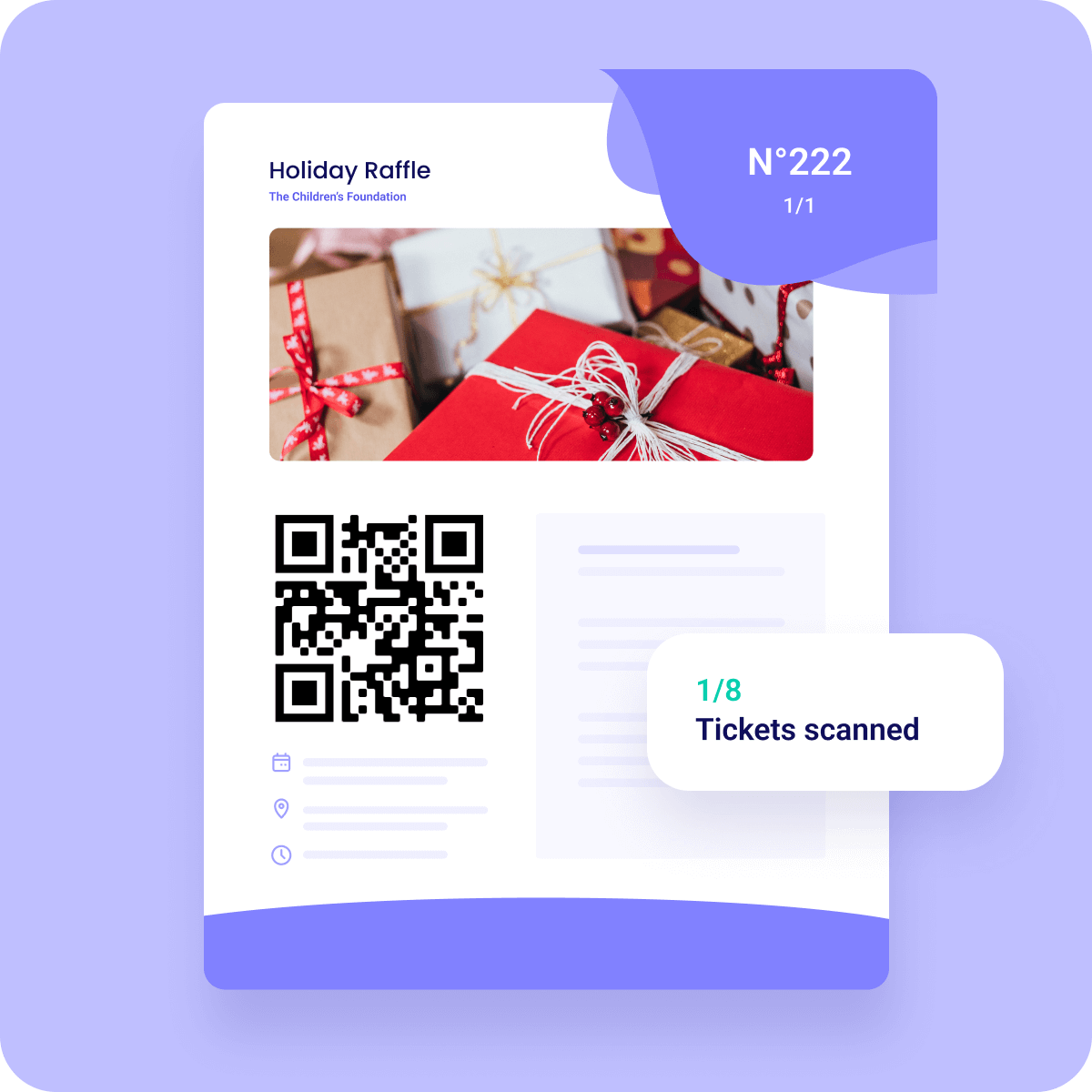
Small society lottery raffle tickets: If you are running a charity raffle where tickets are sold in advance, you will need to register with your local licensing authority as a small society lottery (£40 initial fee, £20 annual renewal). Single-draw ticket sales must stay under £20,000; annual aggregate sales under £250,000; and at least 20% of proceeds must go to your good cause. You can print a QR code on physical raffle tickets linking to the online ticket-sale form. Note: if you hold the draw entirely at a live event without advance public ticket sales, this may qualify as an incidental non-commercial lottery, which requires no registration. Gift Aid does not apply to raffle ticket purchases in either case, as the buyer receives a chance to win rather than making a voluntary gift.
What to link: Your Zeffy donation form, volunteer sign-up, or event check-in page. For galas with fund-a-need moments, link to a mobile giving page with suggested amounts already displayed.
Social media posts
QR codes in social media content bridge a digital post to a specific action, which is particularly useful in Stories, Reels and image carousels where clickable links are limited.
Placement: For Instagram Stories and Facebook Stories, place the QR code in the lower half of the frame, away from the swipe-up zone and platform UI elements. For static feed posts, centre the QR code in a dedicated slide within a carousel.
Sizing: QR codes in social media images should occupy at least 25 to 30% of the image width so they are large enough to scan from a second device if a follower is viewing on desktop.
Resolution: Export at 72 DPI for web and social, but start from a 300 DPI source file to ensure the pattern remains crisp after social platform compression.
Best practice: Add a visible instruction such as 'Screenshot and scan to donate' because most users do not instinctively know to screenshot a QR code from their feed. For platforms that allow a link in bio, use both the bio link and the QR code in content to capture both behaviour types.
What to link: A campaign landing page, peer-to-peer fundraising portal, or event registration. Campaigns that pair a social QR code with a matching gift deadline, whether for Giving Tuesday, a Christmas appeal, Macmillan Coffee Morning, Children in Need or Remembrance Sunday, see particularly strong conversion. Align the destination with the specific moment to maximise relevance.
Annual reports
Annual reports have a longer shelf life than almost any other charity communication. A QR code in an annual report can keep driving engagement and donations for twelve months or more.
Placement: Include one primary QR code on the inside front cover or the opening letter from the Chief Executive, linking to a digital version of the full report. Add secondary QR codes next to specific programme sections linking to videos, impact stories, or related donation pages.
Sizing: 3.8 cm × 3.8 cm for report body placement. For the cover, 5 cm × 5 cm is appropriate and adds visual weight that signals intentionality.
Resolution: 300 DPI minimum. Annual reports are often printed professionally, so request a pre-press proof that includes a QR code scan test before the full run.
Best practice: Use a dynamic QR code so you can update the destination if the linked page changes mid-year without reprinting. Include a short URL alongside each code. If your report is also distributed as a PDF, make the QR code image a clickable hyperlink as well so digital readers can tap directly.
What to link: Your interactive digital annual report, a tribute giving page, or a general donation form with a reference to the report year pre-filled in the notes field. Donors reading an annual report are already engaged; a low-friction giving link captures that momentum.
QR code do's and don'ts for charities
Do: Keep a quiet zone
The blank space surrounding the pixels is the quiet zone. The QR code will become unscannable without this blank space. Keep the area around the code and the blank space clean and avoid blurring the edges.
Do: Include brand colours, logos or images
Adding your charity's brand logo, image and name on the form with the QR code helps attract more donors. Use your branding elements and colours to trigger brand recall.
Donors will scan to donate only when they recognise and trust your charity.
Do: Check the links
Check whether the link is correct and working. Use dynamic codes for time-sensitive links. Regularly examine your links to keep your content up to date.
This simple but important check adds credibility, making your charity look professional. It gives donors and supporters access to your organisation at all times.
Do: Test, test, test
Before printing your QR code, carry out rounds of tests. Scan the QR code and check whether it is legible on different devices. Low-pixel quality printing can make your QR code unscannable. Test the code before putting it on all materials.
Don't: Use QR codes only for donation pages
There are several ways to use QR codes that go beyond the donation page alone. From including unique QR codes in direct mail for easy giving on a mobile device to printing them on marketing materials at an event, a QR code takes the friction out of giving.
QR codes are useful for engaging and connecting with donors by sharing interactive content or promotional material. This will further your mission and encourage them to support your organisation.
Don't: Forget a call to action
A QR code alone may not work without a clear and compelling call to action. The convenient code ensures that when donors take action, it is easier, faster and more flexible. It may not bring the same results if you overlook a call to action that triggers the action.
A clear call to action encourages the supporter to take the desired step. For example, 'Donate now' or 'Support our work' drives more scans and donations.
10+ ways UK charities use QR codes beyond donations
Donation collection is the most obvious use case, but it is far from the only one. Charities that get the most from QR codes treat them as a universal bridge between their physical presence and their digital ecosystem. Here are more than ten proven ways to put them to work.
1. Regular giving sign-up (Direct Debit)
Direct Debit is the single largest payment method for UK charity donations, accounting for around 31% of all giving. A QR code on a leaflet, newsletter, poster, or event programme that routes to a regular-giving sign-up page is one of the most effective conversion tools available for UK charities. Defaults of £5, £10 and £15 per month align with UK donor norms and reduce the cognitive load for a supporter deciding how much to give. Once a donor has scanned and signed up, the relationship becomes ongoing with no further effort on your part.
2. Point-of-sale giving at retail partners
Partner with a local café or independent shop to place a QR code at the till. Customers who want to make a small donation can scan and give in seconds: no cash jar required. The setup takes minutes. Print your Zeffy donation form's QR code, frame it, and hand it to your partner business. There is no app to install and no hardware to buy. Your retail partner becomes a passive fundraising channel with no ongoing effort from your team.
This approach works especially well for charities with strong local name recognition, such as a foodbank (one word, UK usage), an animal rescue, or a community centre. The till moment is low-pressure: supporters who want to give can, and those who do not simply will not.
3. Volunteer recruitment
Place QR codes on flyers, yard signs or event banners that link directly to your volunteer sign-up form. Instead of asking people to 'search your website later', you capture interest in the moment. Link to a pre-filled form with the specific event or role already selected to reduce drop-off.
Volunteer interest is highest right after someone has a positive interaction with your organisation, at an event, after a presentation, or when they see your work firsthand. A QR code lets you act on that moment before it fades.
If you are recruiting for a specific programme, create a separate QR code for each role or shift. It is a small extra step that dramatically reduces back-and-forth for your volunteer coordinator.
4. Event check-in
Speed up check-in at galas, sponsored 5Ks or community dinners by assigning each registered attendee a unique QR code. Staff scan codes at the door rather than searching through printed lists. Many ticketing platforms and CRMs can generate these automatically.
Long check-in queues frustrate guests before your event even starts. Scanning QR codes takes around two seconds per person. This approach also reduces errors: no crossed-off names, illegible handwriting, or missing registrations. The scan confirms attendance digitally, and your data is ready to export for follow-up emails the next morning.
5. Awareness campaigns
A QR code on a poster, bus, tube or rail advertisement, or direct mail piece can route passersby to a campaign video, impact story, or petition, turning a static impression into an active engagement. UK animal welfare charities such as RSPCA local branches, Blue Cross and Cats Protection regularly use this approach on adoption posters to show video profiles of individual animals.
The key is matching the destination to the context. A transit ad gets a few seconds of attention, so link to something short and emotionally compelling. A direct mail piece gets more time, so a longer story or an interactive impact calculator makes sense there.
6. Social media growth
A QR code printed on programme booklets, merchandise, or table tents can link to your Instagram, Facebook or LinkedIn page. Add a clear prompt such as 'Follow us for impact updates' to give people a reason to scan.
Supporters at your events are already warm. That is the best possible moment to ask them to stay connected. A table tent with a QR code and a simple line like 'See the difference your donation makes, follow us on Instagram' can convert an in-person supporter into a long-term digital audience member.
7. Feedback and surveys
After an event or programme, hand out cards or display a sign with a QR code linking to a short survey. Response rates are dramatically higher when participants can complete the survey on their phone before they leave the room.
Keep the linked survey short, five questions or fewer. You will get better completion rates and more honest answers. Use the data to improve future programming and share what you learned with your trustees and funders.
8. Annual reports and impact updates
Instead of posting bulky printed reports, include a QR code that links to your interactive digital annual report. This works well on donor acknowledgement letters and end-of-year appeals, giving supporters a deeper look without inflating printing costs.
A one-page summary with a QR code linking to the full digital version gives you a physical touchpoint that does not break your printing budget, and a rich digital experience for supporters who want more. If you finalise donor totals or project outcomes after print materials have already been posted, you can update the linked digital report without reprinting anything.
9. Membership sign-ups
Membership-based charities, museums, advocacy organisations and community centres can use QR codes at welcome desks, events and exhibit exits to route visitors directly to a membership enrolment page.
The best time to ask someone to join is when they are actively enjoying what you offer. A QR code at the exit of a gallery or the end of a community class catches visitors at peak enthusiasm. Pair it with a simple value statement and you have a compelling pitch that takes around ten seconds to act on.
10. Petition signing and campaigning
Campaigning charities, such as those working in the pattern of Amnesty UK or Friends of the Earth, can deploy QR codes at tabling events, town halls or on printed materials to collect petition signatures digitally. This also lets you capture email addresses for follow-up organising.
A digital form reached by QR code gives you clean, exportable data from the first signature. You can see exactly how many people signed, when, and from which event or location if you use UTM parameters.
Note: UK GDPR and PECR apply to any email address you collect. Under the ICO's 2026 guidance for charities, the 'soft opt-in' may apply if the person has expressed an interest in your work; make sure your sign-up form is clear about how you will use their data.
11. Educational content and resources
Libraries, health charities and literacy organisations use QR codes to extend programming beyond the room. A parenting workshop might include a QR code on a take-home sheet linking to video tutorials, reading lists or translated resources.
A QR code on a take-home sheet extends your impact into the days and weeks that follow. Participants can revisit instructions, watch a demonstration again, or share resources with family members who were not in the room.
This is especially powerful for health and social service organisations where following through on the information shared in a session directly affects outcomes. Linking to translated materials also makes your programme more accessible to multilingual communities without adding printing costs.
12. Tribute and memorial giving pages
Place a QR code in a memorial programme or on a tribute plaque that links to a dedicated giving page honouring a specific person. It transforms a printed keepsake into an ongoing fundraising touchpoint.
In memoriam giving pages are among the highest-converting donation pages charities operate. People give in memory of someone they loved, and the motivation is deeply personal. A QR code printed inside a memorial programme or affixed to a tribute bench keeps that page accessible long after the initial moment of loss. Families often share these programmes with relatives who were not present. Each copy becomes a potential giving touchpoint, reaching donors your organisation would never have found through standard outreach.
Implementation tip for all use cases: Always link to a mobile-optimised page. Most scans happen on phones. Test each QR code on both iOS and Android before printing, and use a URL shortener or UTM parameter so you can track how many scans each placement generates.
Concluding thoughts on QR codes for donations
QR codes are more than a technology trend. They are a practical tool that can transform how supporters interact with your charity. By providing instant, contactless access to your donation pages, direct mail appeals, event registrations and Gift Aid-ready forms, QR codes can significantly boost engagement and contributions.
As you implement QR codes in your strategy, Zeffy's free fundraising platform for UK charities not only generates QR codes but also provides a full suite of tools to manage donations, events, memberships, raffles and supporter engagement, all at zero cost to your charity.
By embracing this technology, you are not just modernising your approach. You are creating more accessible pathways for supporters to contribute to your cause.
For UK charities, Zeffy is the strongest option because it generates a QR code automatically for every fundraising form it creates, at no cost. Over 100,000 charities and not-for-profits worldwide have raised more than £2bn through Zeffy with zero platform fees. The QR code is directly connected to your donation form, your payment processing and your donor management, so there is no manual linking or third-party tool required. For a charity that already uses a different donation platform, free standalone generators such as QR Code Generator or Canva's built-in QR tool will produce a scannable code from any URL.
Yes, when linked to a reputable, secure donation platform. Donors should only scan QR codes from trusted sources and check that the linked page uses HTTPS (look for the padlock in the browser). As a charity, always use a recognised fundraising platform and test your QR codes before publishing them so you are confident the destination is correct. For extra reassurance, display your charity's registered name and charity number alongside the code.
Yes, and this is one of the most compelling reasons for UK charities to use them. A QR code can route an offline donor, such as a fete visitor or a direct mail recipient, to a Gift Aid-ready donation form that captures their full name, home address and taxpayer confirmation in one step. This means the charity can reclaim 25p for every £1 donated from HMRC, with no extra cost to the donor. Remember: Gift Aid does not apply to raffle ticket purchases, event ticket prices, or auction lots at fair value. Your charity must also be HMRC-recognised to make Gift Aid claims. Full guidance is available at gov.uk/donating-to-charity/gift-aid.
With a dynamic QR code, tracking is built in. Most dynamic QR code platforms provide a dashboard showing total scans, scan dates and, in some cases, the device type used. You can also add UTM parameters to the destination URL (for example, `?utm_source=directmail&utm_campaign=autumn-appeal`) and track scans in Google Analytics or your CRM alongside other traffic sources. Static QR codes do not provide scan data, so if tracking performance matters to your campaign strategy, dynamic codes are the right choice.
No. Both iOS (iPhone) and Android smartphones have built-in QR code scanning in the standard camera app. Open the camera, point it at the code, hold it steady until the link appears, then tap to follow the link. No separate scanning app is required on any modern smartphone. Older devices may need a free QR reader app, but these are widely available if needed.
Get weekly fundraising tips from nonprofits experts
Thank you! Your submission has been received!
Oops! Something went wrong while submitting the form.
Keep reading :
Nonprofit guides
How to Accept Donations Online for Your Charity in 2026
A practical guide for UK charities and community groups on how to accept donations online. Covers eight essential steps, ten fundraising tips, a UK platform fee comparison, and answers to common questions about Gift Aid, payment methods, and GDPR compliance.
A practical, small-charity playbook for UK fundraisers in 2026. Covers crafting a compelling donation ask, Gift Aid, UK corporate giving programmes, email and in-person scripts, social media tactics, and how to choose a donation platform that keeps 100% of every pound you raise.
How to Ask for Donations: Scripts and Templates for UK Charities (2026)
A practical guide for UK charity fundraisers with 25+ ready-to-use scripts and templates across every channel, email, text, social media, in person, phone, and direct post. Covers Gift Aid prep, UK data-protection rules, the psychology of asking, and common mistakes. Every template is built around specificity: one pound amount, one outcome, one link. Includes a Gift Aid checklist, UK-relevant audience targeting, and tools available at no cost on Zeffy.
Look for people who attend related events, follow relevant Facebook groups, or subscribe to aligned newsletters.These aren’t just potential donors—they’re your future advocates.
Look for people who attend related events, follow relevant Facebook groups, or subscribe to aligned newsletters.These aren’t just potential donors—they’re your future advocates.





.svg)


.webp)

