We use cookies to improve your experience on our platform. By clicking “Accept all cookies”, you agree to the storing of cookies on your device to enhance site navigation, analyze site usage and assist in our marketing efforts.
Cookies required for basic website functionality.
Cookies used to deliver content most relevant to you and your needs.
Cookies used to deliver content most relevant to you and your needs.
Cookies that help understand the performance of the website, how users interact with it and to identify bugs.
How is Zeffy free?
How is Zeffy free?
Zeffy relies entirely on optional contributions from donors. At the payment confirmation step - we ask donors to leave an optional contribution to Zeffy.
QR Codes for Nonprofits: Uses, Benefits & Free Setup Guide (2026)
April 17, 2026
⚡TL;DR — The Short Answer
Verdict: QR codes are one of the cheapest, fastest ways to connect offline supporters with your online donation forms, volunteer sign-ups, and event pages — and Zeffy generates them automatically at zero cost.
What works: Instant mobile access to any fundraising form; no technical setup; free generation through Zeffy; broad channel flexibility (print, events, direct mail, social media).
What doesn't: QR codes without a clear call-to-action underperform; static codes can't be updated if your destination URL changes; codes placed too small or in low-light environments often fail to scan.
Best for: Nonprofits that run in-person events, send direct mail, or want to bridge print materials with digital giving pages — especially organizations with limited staff time and budget.
Worth considering if: You want to track scan performance by channel, recruit volunteers in the moment, or replace paper check-in lists with fast digital scanning at galas and community events.
According to Statista, QR code scans in the United States grew by over 26% between 2021 and 2023, and mobile giving now accounts for more than 28% of all online nonprofit donations (Nonprofits Source, 2023). This cost-effective method can be used at events and on websites, and organizations that add QR codes to direct mail campaigns report conversion lifts of 20–30% compared to URL-only appeals.
Incorporating QR codes into your fundraising strategy can modernize your efforts and meet donors where they already are — on their phones.
This guide will explore QR codes in detail, covering their types and benefits. We'll also provide step-by-step instructions for creating donation-specific QR codes and share best practices for their use.
Quick Response (QR) is a two-dimensional code you can scan using a smartphone camera. In the blink of an eye, it takes the user to the desired online page.
Here's how it works:
Open the smartphone camera and choose the scanner option
Point the camera at the QR code and hold it steadily until the link appears
Tap the link and go straight to the website or page
These codes have black squares arranged in a pattern on a white background. The unique square pattern contains data, like a URL. Phone cameras and similar devices can read this data and take you to the linked website, social media page, PDF, or landing page.
While most smartphones today have in-built QR code scanners, others can use free QR code scanner apps, including:
QR & Barcode Scanner
QR code reader app
Kaspersky QR Scanner
Free QR Scanner
Nonprofits can use QR codes to link any page they want supporters to access, such as their website, event registration page, or donation form.
Types of QR codes for nonprofits
1. Static QR codes
A static QR code contains fixed information that doesn't change once created. It's like a permanent digital barcode that stores data such as a website URL, contact information, or plain text. When scanned, it always leads to the same destination or displays the same content.
Static codes are simple to create and don't require ongoing management, making them ideal for print materials or long-term use.
They can't be edited after generation — if you need to update the information, you'll have to create a new code. They're best for stable, unchanging content or links.
2. Dynamic QR codes
A dynamic QR code is an advanced version of the static one. Nonprofits can use these QR codes for time-sensitive information that needs to change.
Dynamic codes are also trackable, allowing you to see how many times they are scanned. The data can help your nonprofit determine if its campaigns are gaining attraction and popularity. You can make adjustments to the campaign marketing strategy by analyzing the information.
For instance, nonprofit organizations can use a dynamic code to promote a time-bound donation match campaign. This code allows nonprofits to update the latest donation match status to incentivize donors.
How can a QR code benefit your nonprofit?
There are plenty of QR code donations benefits.
QR codes make it easy for people to donate to your cause with their devices. It provides a safe and convenient way for supporters to learn about your nonprofit and show generosity.
The immediate access QR codes offer can create a sense of urgency, encouraging people to donate on the spot rather than postponing their decision.
Here's how these codes can benefit your nonprofit organization.
Cost-efficient
Most QR code generators are less expensive to use and easy to integrate. You can generate and share QR codes to accept payments, promote fundraisers, offer invite links, and more with a few clicks.
You don't need technical knowledge or expertise to use these codes, saving resources on hiring external help.
Accessible and flexible
These patterned custom QR codes are a great way to promote mobile donations and flexible giving options. Anyone with a smartphone can access a payment link for online donations by scanning the code without any delay or lengthy process.
QR codes can link to diverse content types, including websites, videos, contact information, or social media profiles. This flexibility makes them ideal for diverse use cases, from boosting marketing efforts and educating supporters to managing fundraising events.
Supporter and donor engagement
Placing QR codes on posters, flyers, and event tickets can drive traffic to a nonprofit's website or social media. Nonprofits can lead supporters toward interactive content, like videos, stories, or surveys. It expands your organization's reach and supporter base.
Nonprofits can further link QR codes to feedback forms or surveys to gather valuable insights from donors and volunteers. All these aspects help increase engagement in different ways.
Create a free QR code for donation in 7 steps with Zeffy
You can use several free online QR code generators to create unique codes. Go to the app and provide the link to a donation page, website, or any other online form, and the QR code generator will set up the code.
Zeffy takes the fundraising and QR code experience to the next level. Being a 100% free fundraising platform with a QR code generator feature, you can simplify the donation process and empower your team for success.
When you create a fundraising campaign with Zeffy, it automatically generates a QR code — at no cost at all.
Here are some simple steps to set up a QR code for donations with Zeffy.
1. Access your Zeffy dashboard by logging into your account
2. Go to the "Forms" section on the dashboard
3. Hover over the form you want to share and click "Edit"
4. At the top of the form page, click the "Share my Form" button
5. A pop-up window with sharing options will appear
6. Click on the "QR code" option in the pop-up window
7. Click "Copy Image" to copy the QR code to your clipboard for pasting into communication materials or click "Download Image" to save the QR code as a PNG file on your device
Generate your own QR code instantly
Already have a donation page URL and want to generate a QR code right now? Use the tool below — paste your link, generate your code, and download it for print or digital use. (For end-to-end fundraising with zero fees, the Zeffy steps above give you a QR code that's connected directly to your payment processing and donor management.)
QR Code Strategies by Channel
Generating a QR code is only half the job. Where you place it, how large you print it, and what you link it to determine whether it actually gets scanned. Here is what works across the five channels nonprofits use most.
Direct Mail
Direct mail is one of the highest-performing channels for nonprofit QR codes because recipients are already engaged — they chose to open the envelope.
Placement: Position the QR code in the lower-right third of the letter or on a tear-off reply card. This mirrors the natural reading path and keeps the code visible without competing with your headline or ask.
Sizing: Print at a minimum of 1 inch 1 inch (2.54 cm 2.54 cm). For postcards, 1.5 inches 1.5 inches gives you more reliable scan performance across phone models.
Resolution: Export your QR code as a PNG or SVG at 300 DPI or higher. Anything below 200 DPI risks pixelation when printed, which causes scan failures. If your printer requests a vector file, SVG format scales without quality loss.
Best practice: Use a dynamic QR code so you can update the destination URL if your campaign page changes after mail has been sent. Include a short URL beneath the code (e.g., give.yourorg.org/appeal) so recipients who can't scan can still find the page.
What to link: A pre-filled donation form with the appeal amount already selected reduces friction and increases conversion. If your platform supports UTM parameters, tag the URL so you can attribute gifts to the direct mail piece specifically.
Email Newsletters
Email is a digital channel, so a QR code in an email is most useful when you expect recipients to read on a desktop and give on a mobile device — or when you want them to save something to use offline.
Placement: Embed the QR code midway through the email or in a dedicated "Give by phone" section near the primary CTA button. Do not replace the button with the QR code — include both.
Sizing: Display at 150–200 pixels wide within the email template. This renders cleanly on desktop without overwhelming the layout.
Resolution: Use PNG at 150 DPI minimum for email; the screen rendering is forgiving, but avoid upscaling a small image.
Best practice: Add alt text to the QR code image ("Scan to donate on your phone") so screen readers describe it and it remains usable if images are blocked. Test across Gmail, Outlook, and Apple Mail before sending.
What to link: A mobile-optimized donation page or event registration. Segment your list and use different QR codes for different segments — this lets you track which audience responds best.
Event Signage
Events are the most time-sensitive environment for QR codes. Attendees are present for a limited window, and a code that fails to scan is a missed opportunity.
Placement: Display codes at eye level on table tents, retractable banners, and seat-back cards. Avoid placing codes near reflective surfaces (glossy acrylic stands, metallic backdrops) that create glare. At registration tables, position the code facing the guest, not the volunteer.
Sizing: For a table tent, 2 inches 2 inches minimum. For a retractable banner viewed from 3–6 feet away, print at 4 inches 4 inches or larger. A general rule: for every foot of intended scanning distance, add roughly 0.4 inches to the QR code's side length.
Resolution: 300 DPI for all printed event materials. If you are printing a large-format banner (3 feet wide or more), request that your print vendor check the QR code with a scanner before the run is completed.
Best practice: Test every printed QR code on both iOS and Android before the event. Assign one volunteer to do a pre-event scan audit. Have a backup — either a printed URL or a short link displayed alongside the code.
What to link: Your Zeffy donation form, volunteer sign-up, or event check-in page. For galas with fund-a-need moments, link to a mobile giving page with suggested amounts already displayed.
Social Media Posts
QR codes in social media content serve a different purpose than in print — they bridge a digital post to a specific action, particularly useful in Stories, Reels, and image carousels where clickable links are limited.
Placement: For Instagram Stories and Facebook Stories, place the QR code in the lower half of the frame, away from the swipe-up zone and platform UI elements. For static feed posts, center the QR code in a dedicated slide within a carousel.
Sizing: QR codes in social media images should occupy at least 25–30% of the image width so they're large enough to scan from a second device if a follower is viewing on desktop.
Resolution: Export at 72 DPI for web/social, but start from a 300 DPI source file to ensure the pattern remains crisp after social platform compression.
Best practice: Add a visible instruction — "Screenshot and scan to donate" — because most users do not instinctively know to screenshot a QR code from their feed. For platforms that allow link-in-bio, use both the bio link and the QR code in content to capture both behavior types.
What to link: A campaign landing page, peer-to-peer fundraising portal, or event registration. Giving Tuesday campaigns that pair a social QR code with a matching gift deadline see particularly strong conversion.
Annual Reports
Annual reports have a longer shelf life than almost any other nonprofit communication. A QR code in an annual report can keep driving engagement and donations for twelve months or more.
Placement: Include one primary QR code on the inside front cover or the opening letter from the Executive Director, linking to a digital version of the full report. Add secondary QR codes next to specific program sections linking to videos, impact stories, or related donation pages.
Sizing: 1.5 inches 1.5 inches for report body placement. For the cover, 2 inches 2 inches is appropriate and adds visual weight that signals intentionality.
Resolution: 300 DPI minimum. Annual reports are often printed professionally, so request a pre-press proof that includes a QR code scan test before the full run.
Best practice: Use a dynamic QR code so you can update the destination if the linked page changes mid-year without reprinting. Include a short URL alongside each code. If your report is also distributed as a PDF, make the QR code image a clickable hyperlink as well so digital readers can tap directly.
What to link: Your interactive digital annual report, a tribute giving page, or a general donation form with a reference to the report year pre-filled in the notes field. Donors reading an annual report are already engaged — a low-friction giving link captures that momentum.
QR codes for nonprofits: Do's and don'ts
Do: Keep a quiet zone
The blank space surrounding the pixels is the quiet zone. The QR code will become unscannable without this blank space. Keep the area around the code and the blank space clean and avoid blurring the edges.
Do: Include brand colors, logos, or images
Adding your nonprofit's brand logo, image, and name on the form with the QR Code helps attract more donors. Use your branding elements and colors to trigger brand recall.
Donors will scan to donate only when they recognize and trust your nonprofit.
Do: Check the links
Check if the link is correct and whether it is working. Use dynamic codes for time-intensive links. Regularly examine your links to keep your content up to date.
This simple but important check adds credibility, making your nonprofit look professional. It gives donors and supporters access to your nonprofit organization at all times.
Do: Test, test, test!
Before printing your QR Code, conduct rounds of tests. Scan the QR code and see if it is legible on different devices. Low-pixel quality printing can mess up your QR code, making it unscannable. Test the code before putting it on all materials.
Don't: Use QR codes just for donation pages
There are several ways to use QR codes that aren't limited to only the donation page. From including unique QR codes in direct mail for easy giving on a mobile device to printing them on marketing materials at an event, a QR code takes the friction out of donating.
QR codes are useful for engaging and connecting with donors by sharing interactive content or promotional material. This will further your mission and encourage them to contribute to your organization.
Don't: Forget a call-to-action (CTA)
A QR code alone may not work without a clear and compelling CTA. The convenient code ensures that when donors take action, it is easier, faster, and more flexible. It may not bring the same results if you overlook a CTA that triggers the action.
A clear CTA encourages the supporter to take the desired action. For example, "Donate Now" or "Support Our Cause" to drive more scans and donations.
Case studies: Nonprofits using QR codes to raise more
YWCA Lethbridge switched to Zeffy and raised $23,792
YWCA Lethbridge runs donations, volunteer management, and annual events like their Royal Gala on Zeffy. By moving ticketing and donations to Zeffy’s 100% free fundraising platform, they raised $23,792 and saved $1,189 in fees.
Their team puts Zeffy’s general donation QR code on everything — tables at conferences, email footers, posters, and billboards — giving donors an instant path to the donation form wherever they encounter the organization.
The fact that Zeffy is free is crazy to me, but excellent! — Catherine Champagne, External Relations Director, YWCA Lethbridge
They also rely on Zeffy’s discount code feature for ticketing, follow-up emails to attendees, and event management tools that make running their galas easier year over year.
Big Brothers Big Sisters of St. Thomas-Elgin raised $35,835 with QR codes in emails and marketing
Big Brothers Big Sisters of St. Thomas-Elgin runs every event, raffle, and donation drive on Zeffy. Across their fundraising, they’ve raised $35,835 and saved $1,791 in fees — and QR codes are one of the tools their team leans on to make it easier for supporters to give.
For their annual WestJet Gift of Flight raffle, the team sells 1,500 tickets online through Zeffy’s raffles and lotteries solution on top of 1,500 they sell in person — routing supporters to the online form through QR codes embedded in email campaigns and printed marketing materials.
We just started using the QR code, taking advantage of the links provided for us—including them in our emails and other marketing. — Carolyn Johnson, Big Brothers Big Sisters of St. Thomas-Elgin
The combination of QR codes in email and print plus online ticket sales helps the organization raise around $3,000 a year from the raffle alone — with zero platform fees eating into the total.
Now that you’ve seen how real nonprofits are using QR codes to raise more, let’s zoom out. Donations are just the starting point — QR codes can connect your supporters to almost any part of your mission.
10+ Ways Nonprofits Can Use QR Codes Beyond Donations
Donation collection is the most obvious use case — but it's far from the only one. Nonprofits that get the most mileage from QR codes treat them as a universal bridge between their physical presence and their digital ecosystem. Here are more than ten proven ways to put them to work.
1. Point-of-Sale Giving at Retail Partners
Partner with a local coffee shop or retailer to place a QR code at the register. Customers who want to round up their purchase or make a small donation can scan and give in seconds — no cash jar required. A food bank in Austin partnered with three local cafs this way and drove over 200 new first-time donors in a single month.
The setup takes minutes. You print your Zeffy donation form's QR code, frame it, and hand it to your partner business. There's no app to install and no hardware to buy. Your retail partner becomes a passive fundraising channel with zero ongoing effort from your team.
This approach works especially well for organizations with strong community name recognition. The register moment is low-pressure — customers who want to give can, and those who don't simply won't. That removes the awkwardness of a direct ask and makes spontaneous giving feel natural.
2. Volunteer Recruitment
Place QR codes on flyers, yard signs, or event banners that link directly to your volunteer sign-up form. Instead of asking people to "search your website later" (they won't), you capture interest in the moment. Link to a pre-filled form with the specific event or role already selected to reduce drop-off.
Volunteer interest is highest right after someone has a positive interaction with your organization — at an event, after a presentation, or when they see your work firsthand. A QR code lets you act on that moment before it fades. People who might forget to follow up later can sign up in under a minute.
If you're recruiting for a specific program, create a separate QR code for each role or shift. It's a small extra step that dramatically reduces how much back-and-forth your volunteer coordinator has to do.
3. Event Check-In
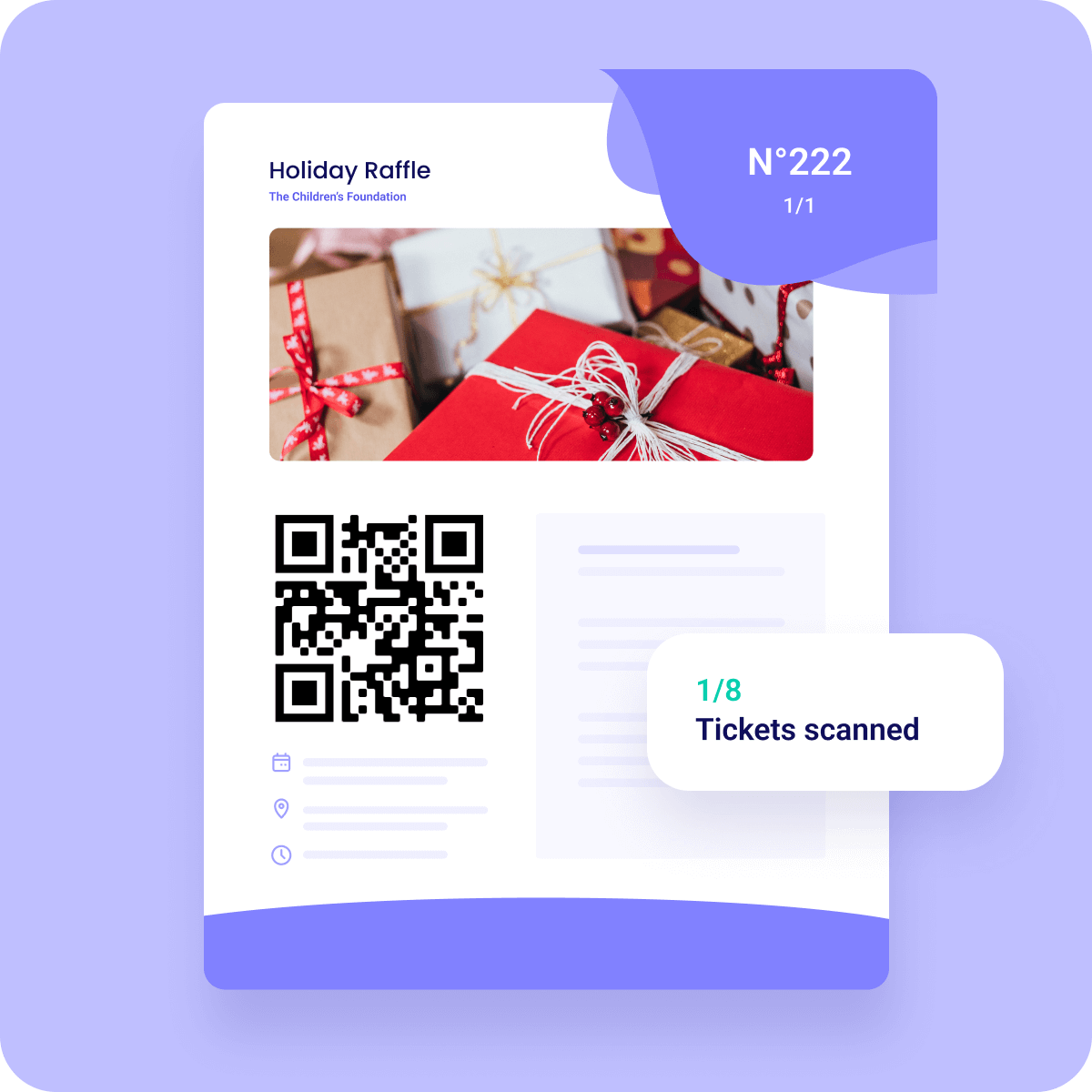
Speed up check-in at galas, 5Ks, or community dinners by assigning each registered attendee a unique QR code. Staff scan codes at the door rather than hunting through printed lists. Tools like Eventbrite and many CRMs can generate these automatically.
Long check-in lines frustrate guests before your event even starts. Scanning QR codes takes about two seconds per person. A table of two staff members can handle hundreds of check-ins in the time it used to take to flip through paper lists for a dozen guests.
This approach also reduces errors. No more crossed-off names, illegible handwriting, or missing registrations. The scan confirms attendance digitally, and your data is ready to export for follow-up emails the next morning.
4. Awareness Campaigns
A QR code on a poster, transit ad, or direct mail piece can route passersby to a campaign video, impact story, or petition — turning a static impression into an active engagement. Animal shelters frequently use this on adoption posters to show video profiles of individual animals.
Static printed materials have always had the same limitation: they can only say so much. A QR code removes that ceiling entirely. Your poster becomes a gateway to a three-minute video, a full impact report, or a real-time campaign update — whatever will move your audience most.
The key is matching the destination to the context. A transit ad gets a few seconds of attention, so link to something short and emotionally punchy. A direct mail piece gets more time, so a longer story or an interactive impact calculator makes sense there.
5. Social Media Growth
Growing your follower count offline is hard. A QR code printed on program booklets, merchandise, or table tents can link to your Instagram, Facebook, or LinkedIn page. Add a clear prompt like "Follow us for impact updates" to give people a reason to scan.
Attendees at your events are already warm — they care about your mission. That's the best possible moment to ask them to stay connected. A table tent with a QR code and a simple line like "See the difference your donation makes — follow us on Instagram" can convert an in-person supporter into a long-term digital audience member.
You can also use this approach on swag. A t-shirt or tote bag with a QR code on the inside label turns every piece of merchandise into a soft recruitment tool.
6. Feedback and Surveys
After an event or program, hand out cards or display a sign with a QR code linking to a short survey. Response rates are dramatically higher when participants can complete the survey on their phone before they leave the room.
Most nonprofits collect almost no real-time feedback from program participants — not because people don't want to share it, but because the process is too cumbersome. A paper form gets stuffed in a pocket and thrown away. An email survey arrives when the moment has passed. A QR code displayed at the end of a session lets you collect honest, in-the-moment responses while they still matter.
Keep the linked survey short — five questions or fewer. You'll get better completion rates and more honest answers. Use the data to improve future programming and share what you learned with your board and funders.
7. Annual Reports and Impact Updates
Instead of mailing bulky printed reports, include a QR code that links to your interactive digital annual report. This works well on donor acknowledgment letters and end-of-year appeals — giving supporters a deeper dive without inflating printing costs.
Printed annual reports are expensive to produce and rarely read cover to cover. A one-page summary with a QR code linking to the full digital version gives you the best of both worlds: a physical touchpoint that doesn't break your printing budget, and a rich digital experience for supporters who want more.
This also lets you keep the content current. If you finalize donor totals or project outcomes after print materials have already been mailed, you can update the linked digital report without reprinting anything.
8. Membership Sign-Ups
Membership-based nonprofits — museums, advocacy organizations, community centers — can use QR codes at welcome desks, events, and exhibit exits to route visitors directly to a membership enrollment page.
The best time to ask someone to join is when they're actively enjoying what you offer. A QR code at the exit of a museum gallery or the end of a community class catches visitors at peak enthusiasm. Pair it with a simple value statement ("Members get free admission year-round") and you've got a compelling pitch that takes about ten seconds to act on.
You don't need any special equipment. Print the code, laminate it, and place it anywhere foot traffic naturally slows down — near exits, at coat check, or beside the reception desk.
9. Petition Signing
Advocacy organizations can deploy QR codes at tabling events, town halls, or on printed collateral to collect petition signatures digitally. This also lets you capture email addresses for follow-up organizing.
Paper petitions have a real problem: the data entry burden on your staff after the event is significant, and handwriting is often illegible. A digital form reached by QR code gives you clean, exportable data from the first signature. You can see exactly how many people signed, when, and from which event or location if you use UTM parameters.
It also lowers the barrier for passersby. Someone who doesn't want to stop and talk to a tabling volunteer can still scan, sign, and walk on — and you've captured their email for future outreach.
10. Educational Content and Resources
Libraries, health nonprofits, and literacy organizations use QR codes to extend programming beyond the room. A parenting workshop might include a QR code on a take-home sheet linking to video tutorials, reading lists, or translated resources.
Most programs end when the session ends. A QR code on a take-home sheet extends your impact into the days and weeks that follow. Participants can revisit instructions, watch a demonstration again, or share resources with family members who weren't in the room.
This is especially powerful for health and social service organizations where following through on the information shared in a session directly affects outcomes. Linking to translated materials also makes your programming more accessible to multilingual communities without adding printing costs.
11. Tribute and Memorial Giving Pages
Place a QR code in a memorial program or on a tribute plaque that links to a dedicated giving page honoring a specific person. It transforms a printed keepsake into an ongoing fundraising touchpoint.
Tribute giving pages are some of the highest-converting donation pages nonprofits operate — people give in memory of someone they loved, and the motivation is deeply personal. A QR code printed inside a memorial program or affixed to a tribute bench or plaque keeps that page accessible long after the initial moment of grief has passed.
Families often share these programs with relatives who weren't present. Each copy becomes a potential giving touchpoint, reaching donors your organization would never have found through standard outreach.
Implementation tip for all use cases: Always link to a mobile-optimized page — most scans happen on phones. Test each QR code on both iOS and Android before printing, and use a URL shortener or UTM parameter so you can track how many scans each placement generates.
Concluding thoughts on QR code for donations
QR codes are more than just a tech trend — they're a powerful tool that can transform how supporters interact with your nonprofit. By providing instant, contactless access to your donation pages, direct mail appeals, event registrations, or informational content, QR codes can significantly boost engagement and contributions.
As you implement QR codes in your strategy, Zeffy's 100% free fundraising software not only generates QR codes but also provides a suite of tools to manage donations, events, and supporter engagement.
By embracing this technology, you're not just modernizing your approach — you're creating more accessible pathways for supporters to contribute to your cause.
Yes, nonprofits can easily generate QR codes for free. Zeffy allows organizations to create QR codes for donation forms and other fundraising materials at no cost.
A QR code generator is a tool or app to create scannable codes to direct users to an online link. Nonprofits can use QR generators to link what they want to share, from a website link to a social media profile or a PDF.
Nonprofits can use a paid or a free QR code generator to share links on different materials.
Nonprofits can use QR codes in many ways with endless possibilities. Use nonprofit QR codes to link any web page, online information form, or channel you wish to direct your audience to.
Create the form and share a static or dynamic QR code based on the information type.
Here are some ways to use a QR code for your nonprofit:
Nonprofits use QR codes in more ways than most people realize. The most common use is linking directly to a donation form — supporters scan at an event, on a poster, or from a direct mail piece, and they're giving within seconds.
But as this guide covers, the use cases go much further. Nonprofits use QR codes to speed up event check-in, recruit volunteers in the moment, collect post-program survey responses, grow social media followings, sign petition supporters, and deliver educational materials to program participants. The common thread is that QR codes remove friction — any time you're asking someone to take an action later, a QR code lets them take it now.
The best QR code generator for nonprofits is one that costs nothing, requires no technical setup, and connects directly to your fundraising tools. Zeffy does all three. When you build any form on Zeffy — a donation page, event registration, or peer-to-peer campaign — the platform automatically generates a QR code you can download and print immediately. You pay zero fees on every transaction, and the QR code itself is free. Over 100,000 nonprofits have raised more than $2 billion through Zeffy with $0 in platform fees.
Generic QR code generators like QR Code Generator or Canva can create codes that link to any URL, which is useful if you already have a mobile-optimized donation page elsewhere. But they don't give you the end-to-end fundraising infrastructure — the payment processing, donor management, and reporting — that Zeffy provides under one roof at no cost.
Look for people who attend related events, follow relevant Facebook groups, or subscribe to aligned newsletters.These aren’t just potential donors—they’re your future advocates.
Look for people who attend related events, follow relevant Facebook groups, or subscribe to aligned newsletters.These aren’t just potential donors—they’re your future advocates.






.svg)


.webp)

