

GiveCampus VS OneCause
GiveCampus charges 5% platform fees plus processing costs. OneCause charges 5% plus annual fees starting at $2,995. Both take thousands from your fundraising — compare which fits your budget and needs.

Zeffy is trusted by 100,000+ nonprofits
Sign up to Zeffy for free - 100% free forever.



GiveCampus VS OneCause



All-in-one Fundraising Features
GiveCampus:
OneCause:
Zero-Fees on Transactions
GiveCampus:
OneCause:
All-in-One Toolkit (Donations, Events, Auctions, Store, Raffles...)
GiveCampus:
OneCause:
Designed Specifically for Nonprofits
GiveCampus:
OneCause:
Built-in CRM (Donor Profiles, History, Tags)
GiveCampus:
OneCause:
Unified Dashboard to Track Everything
GiveCampus:
OneCause:
Multi-Channel Fundraising (Email, Events, P2P)
GiveCampus:
OneCause:
Automated Workflows (emails, receipts, reminders)
GiveCampus:
OneCause:
Custom Branded Pages for Campaigns
GiveCampus:
OneCause:

Pricing
GiveCampus: ![]()
Varies.
5% platform cut + card fees per gift
OneCause: ![]()
Varies.
5% platform cut + card fees + $500 down
Processing fees
GiveCampus: ![]()
2.9% + $0.30.
per transaction
OneCause: ![]()
4.35% + $0.35.
per transaction (credit card processing fees, which can vary)
Platform fees
GiveCampus: ![]()
5%.
OneCause: ![]()
5%.
on funds raised (for Pay-As-You-Go option; capped)
Monthly fees
GiveCampus: ![]()
N/A.
No monthly fees mentioned
OneCause: ![]()
$0.
No monthly fees; annual plans available starting at $2,995/year for Professional Auction & Event package, or Pay-As-You-Go starting at $200
Value for money
GiveCampus: ![]()
![]()
4.2.
OneCause: ![]()
![]()
4.5.

Features
GiveCampus:
4.4/5.
Built for schools, not nonprofits; requires training and higher-tier plans for full features.
OneCause:
4.4/5.
Event-focused with limited year-round tools; requires paid plans and staff training.
Donations
GiveCampus: 
Donation forms with recurring giving, tribute gifts, and matching gift tools, built for educational institutions.
OneCause:
Donation forms with recurring giving and campaign pages; full features require a paid plan.
Ticketing
GiveCampus:
Event registration and ticketing with check-in tools; full event features require a higher-tier plan.
OneCause:
Event ticketing with table management and check-in tools; built for galas but requires higher-tier plans.
Peer-to-Peer Fundraising
GiveCampus:
Peer-to-peer campaigns with fundraiser pages, team tools, and leaderboards; core feature on all plans.
OneCause:
Peer-to-peer campaigns with team pages and fundraiser dashboards; available on premium plans only.
Auctions
GiveCampus:
No auction features; platform focuses on peer-to-peer campaigns and giving days, not event fundraising.
OneCause:
Full mobile bidding with silent and live auction management, item tracking, and checkout.
Raffles
GiveCampus:
No raffle tools; requires third-party integration or manual management outside the platform.
OneCause:
Raffle tools for live events; require an event package and staff training to run.
Online store
GiveCampus:
No online store functionality; not designed for selling merchandise or products.
OneCause:
No online store functionality; focused on event-based fundraising, not ongoing product sales.
Memberships
GiveCampus:
No membership management; designed for campaigns and annual giving, not ongoing member relationships.
OneCause:
No membership management; focused on event fundraising, not ongoing member relationships.
Donor Management/CRM
GiveCampus:
Donor database with giving history, campaign tracking, and alumni engagement tools, built for educational institutions.
OneCause:
Donor database with giving history and event attendance tracking across campaigns.
Emails & Newsletter
GiveCampus:
Built-in email campaigns with templates, segmentation, and automated thank-you messages.
OneCause:
Event promotion and follow-up emails with limited ongoing donor communication tools.
Payment Processing
GiveCampus:
Stripe integration with Apple Pay and Google Pay; charges 5% platform fee plus 2.9% processing per transaction.
OneCause:
Integrated payment processing with mobile bidding checkout and text-to-give options.

Payment methods
GiveCampus:
Supports credit cards, digital wallets, and ACH for major gifts; in-person payments not supported.
OneCause:
Supports credit cards and digital wallets; ACH needs donor verification; in-person options limited.
Credit Card Payments
GiveCampus:
Accepts all major credit and debit cards through integrated processing with standard transaction fees.
OneCause:
Accepts all major credit and debit cards through its payment processing system.
Apple Pay & Google Pay
GiveCampus:
Supports Apple Pay and Google Pay at checkout for online giving forms only.
OneCause:
Supports digital wallets at checkout for online donations and event payments.
ACH / Bank Transfers
GiveCampus:
ACH bank transfers available for larger gifts to reduce processing costs on major donations.
OneCause:
ACH bank transfers available but require donor bank account verification.
Tap to Pay App
GiveCampus:
In-person payment app not supported; requires third-party hardware for events and galas.
OneCause:
General in-person payment collection not supported; offers mobile bidding and check-in tools.

Customer Support
GiveCampus:
4.5/5.
OneCause:
4.5/5.
Unlimited Support
GiveCampus:
Support access depends on plan tier - priority help and advanced training reserved for higher-cost accounts
OneCause:
Support access varies by plan tier - priority help and phone support reserved for enterprise customers paying thousands annually
Phone Support / Office Hours
GiveCampus:
Phone support available for enterprise customers - limited access on lower-tier plans
OneCause:
Phone support and dedicated account management available on enterprise plans only
Webinars
GiveCampus:
Webinars and training sessions offered but often gated behind paid plan requirements
OneCause:
Regular training webinars and educational sessions for users
Help Center
GiveCampus:
Searchable knowledge base with articles, tutorials, and FAQs - some advanced guides require a paid account
OneCause:
Comprehensive help center with guides and resources, accessible to all users at no charge
Email
GiveCampus:
Email support with response times varying by plan level - priority given to enterprise accounts
OneCause:
Email support available but response times depend on plan tier - enterprise gets priority
Nonprofit-Focused Support Team
GiveCampus:
Support access depends on plan — priority help for top-tier users
OneCause:
Support varies by plan — phone help only for enterprise customers
Zeffy is 100% free, always.

Why choose Zeffy over GiveCampus and OneCause if you're a nonprofit
💯
GiveCampus and OneCause take 5–8% of every donation, Zeffy takes zero
GiveCampus charges 5% platform fees plus 2.9% processing costs. OneCause charges 5% plus $500 setup fees and annual packages starting at $2,995. Zeffy covers all fees so 100% of every donation goes to your mission.
🎪
Run your gala and your year-round fundraising in one place, not two
GiveCampus is built for peer-to-peer campaigns but doesn't include auctions, raffles, or memberships. OneCause is built for galas but requires separate tools for year-round giving. Zeffy gives you donations, events, memberships, auctions, raffles, and a full CRM in one place.
⏱️
Launch your first campaign in 30 minutes, not 30 days
GiveCampus and OneCause require setup fees, training sessions, and plan upgrades to unlock features. Zeffy is free to start, easy to learn, and built for small teams who need to fundraise this week, not next quarter.

Frequently asked questions
How much does Zeffy actually cost compared to other all-in-one fundraising platforms?
Zeffy is completely free. GiveCampus charges 5% platform fees plus 2.9% processing costs, while OneCause takes 5% plus setup fees starting at $200. With Zeffy, donors have the option to leave a voluntary contribution to keep the platform running.
Can I get all the fundraising tools I need without paying for multiple platforms?
Yes. While GiveCampus focuses on peer-to-peer campaigns and OneCause specializes in events, Zeffy gives you donations, ticketing, auctions, raffles, memberships, and donor management in one place — all fee-free.
Do I need technical training or IT support to get started with Zeffy?
No. GiveCampus is built for universities with IT teams, and OneCause requires training for full features. Zeffy is designed for small teams who need to launch campaigns quickly without technical help or long onboarding.
Does Zeffy support in-person payments at events like other all-in-one platforms?
Yes. Zeffy includes Tap to Pay so anyone on your team can accept payments from their phone at events. GiveCampus requires separate hardware, and OneCause limits in-person tools to event packages only.
Can I manage memberships and online stores with Zeffy like I can with other platforms?
Yes. Zeffy handles memberships, online stores, and product sales with zero fees. Both GiveCampus and OneCause focus on campaigns and events but don't offer membership management or online store features.



What makes Zeffy different
Zeffy was built for nonprofits like yours

focus on what matters
Built for small teams with big missions.
Zeffy is the fundraising platform that cuts out the fees, clears up your tech mess, and puts your cause first — so your team, even if you're a small team wearing many hats or a one-person show, can focus on what really matters.
Start your nonprofit

ZERO-FEE
Keep 100% of every dollar.
No platform fees. No processing fees. No catch. We know it sounds too good to be true, but it's not. Every penny goes straight to your mission, while competitors take 2-3% off every donation.
Start your nonprofit

ALL-IN-ONE PLatform
Ditch the tech mess.
Stop bouncing between MailChimp, Eventbrite, and all those spreadsheets. Now you can handle donations, ticket sales, memberships, raffles, and all your donor info in one spot.
Start your nonprofit
plug-and-play
Get going, fast.
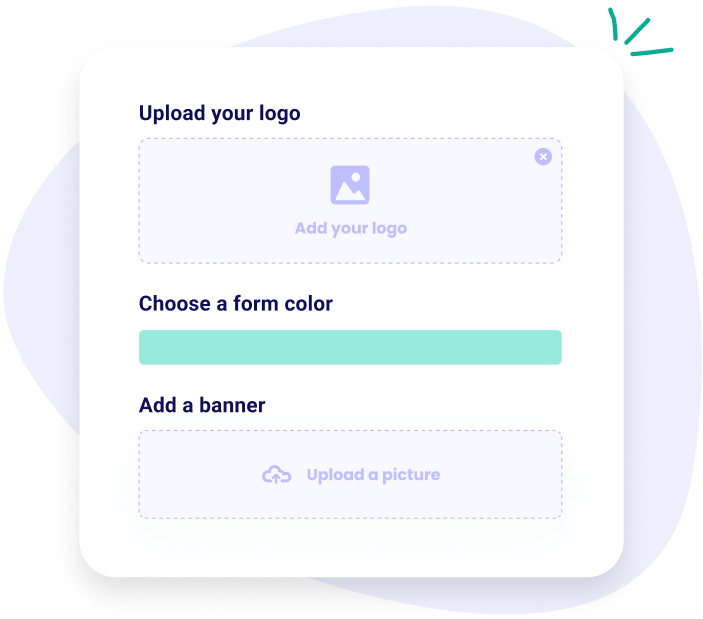
Built for teams like yours — whether you're volunteer-led or have limited staff. Set up donation forms, sell tickets, and launch campaigns without needing a tech wizard. It's super easy, and you'll be up and running in minutes.
Start your nonprofit

mobile-first
Fundraise from every device, anywhere.
From QR codes on flyers to Tap-to-Pay on a phone, Zeffy makes it easy to accept donations on the go. Mobile-optimized and offline-ready, so no donor slips through the cracks.
Start your nonprofit
No turnover
Never lose a donor to volunteer transition.
Centralize supporter relationships, automate thank-you messages, and preserve institutional knowledge when board members rotate out.
Start your nonprofit
Sign up to Zeffy for free
100% free forever.

100,000+ nonprofits trust Zeffy — and keep their fees at $0.
For 7+ years, Zeffy has supported nonprofits with free, user-friendly fundraising tools.


.webp)

As a startup nonprofit with only two members, and no funding (yet) we’d need something with low (or no) fees. Zeffy was a dream come true.
Masey, Loose Ends.
Read the full story


“We were incurring a ton of fees for our past fundraising platform and Zeffy has helped us receive so much more of our donations.”
%20(1).webp)
Amy R
Rebuilding Together Metro Chicago


Zeffy has been invaluable in helping me track our donors, sales, events, and revenue in one spot. The coolest thing about Zeffy is it really is free!
%20(1).webp)
Debra B
Glory to Glory Women's Mentoring Ministry
Everything about Zeffy suits us starting with (of course, NO fees) but also the ease of use and customer experience as well as their client support!!
.webp)
Carmen M
DIVINA World Foundation
Zeffy is very easy to use and ensures that every dollar quickly gets into our account.. A huge help to our work!
.webp)
Nathan C
Jiwa International
Zeffy is very simple, allows for a lot of customization and seamlessly integrates into our website. The fact that all of this is free is still wild to me.

Ryan S
Jesters Theatre: Youth Unlimited
We couldn't believe there was a free payment platform for our Girl Scout group. Zeffy took ZERO fees from us, which is huge when you run on very small amounts of money.
%20(1).webp)
Jennifer H
GSCB Troop 144
We were ready to sell tickets in less than 30 minutes. The reporting capabilities were better than some other paid-for sites.

Mark B
Theta Mu Lambda Charitable Foundation
Since using Zeffy, our conversion rate of donations has skyrocketed. It's an easy platform to use. Plus customer support has always been responsive and helpful!
.webp)
Stevie C
We Are HER
SUCCESS STORIES
Zero-fee fundraising in action — nonprofit stories worth sharing.





.webp)
Ready to get started for free?
Sign up for free


