We use cookies to improve your experience on our platform. By clicking “Accept all cookies”, you agree to the storing of cookies on your device to enhance site navigation, analyze site usage and assist in our marketing efforts.
Cookies required for basic website functionality.
Cookies used to deliver content most relevant to you and your needs.
Cookies used to deliver content most relevant to you and your needs.
Cookies that help understand the performance of the website, how users interact with it and to identify bugs.
How is Zeffy free?
How is Zeffy free?
Zeffy relies entirely on optional contributions from donors. At the payment confirmation step - we ask donors to leave an optional contribution to Zeffy.
Canva for Nonprofits: The UK Charity Guide to Getting Canva Pro Free (2026)
July 3, 2026
⚡TL;DR — The Short Answer
UK registered charities can access Canva Pro at no cost through Canva for Nonprofits, unlocking premium templates, Brand Kit, and a 50-user workspace.
Check your eligibility first: you need a CCEW, OSCR, or CCNI registration (or HMRC charity recognition) to qualify.
Gather your register entry or HMRC charity recognition letter before starting the application.
Set up your Brand Kit on day one so every volunteer designs on-brand from the start.
Pair Canva with a zero-fee fundraising tool so every pound your designs raise reaches your charity.
Zeffy handles Gift Aid natively, so a £100 donation becomes £125 for your charity at no platform cost.
For a small charity without an in-house designer, Canva for Nonprofits is one of the highest-return free tools you can apply for today. It unlocks Canva Pro at no cost for qualifying charities, which means premium templates, a Brand Kit, team collaboration for up to 50 users, and access to Canva's full premium content library.
This guide walks through exactly how to qualify, what documents to gather, how to submit your application, and the features that actually matter in your first month. Then we close the loop on something Canva does not solve: turning the designs you make into pounds your charity keeps 100% of.
Check if your charity qualifies for Canva Pro free
Canva for Nonprofits is open to organisations whose mission advances a public benefit rather than generating private profit. For UK applicants, that means holding an active registration with one of the three UK charity regulators, or holding HMRC charity recognition.
Organisations with HMRC charity recognition but below the £5,000 CCEW registration income threshold, provided they can supply their HMRC recognition letter and governing document.
Not eligible:
Political parties and political organisations.
Purely commercial CICs (Community Interest Companies) without a recognised charitable purpose.
Government bodies and publicly funded institutions.
Individuals and for-profit businesses.
State or private schools without a separately registered charitable arm.
Community groups, CICs, and unincorporated associations typically fall outside the standard Canva for Nonprofits programme. If this applies to you, Canva's standard free and Pro tiers are the more reliable starting point. That said, Canva does operate a discretionary social-impact route: some CICs with a clear public-benefit purpose can apply by submitting their governing documents, though approval is not guaranteed. Check canva.com/canva-for-nonprofits for the latest eligibility details.
If you are still constituting your charity, wait until your CCEW, OSCR, or CCNI registration is confirmed, or your HMRC charity recognition letter has arrived, before applying. For guidance on setting up a charity in the UK, see the GOV.UK charity setup guide.
How to apply for Canva for Nonprofits (step by step)
The application itself is quick. The slowest part is usually getting your documents in order before you start.
1.Create a Canva account with your charity email. Use your organisation's official email domain rather than a personal Gmail account. Canva's verification team treats applications from official addresses as more credible, which can speed up the process.
2.Go to canva.com/canva-for-nonprofits. Click the apply button at the top of the page. If you are already signed in, Canva will tie the application to that account.
3.Fill out the application form. You will enter your organisation's legal name, size, country of operation, organisation type, and a short description of your mission. Make sure the name on the form matches the legal name that appears on your CCEW, OSCR, or CCNI register entry, or your HMRC charity recognition letter.
4.Upload your documentation. UK registered charities upload their CCEW, OSCR, or CCNI registration confirmation or HMRC charity recognition letter. Canva can often verify against the public register directly, but having a PDF ready avoids delays.
5.Submit and wait for verification. Canva's team reviews each application manually. Review typically takes a few business days, per Canva, though times can vary depending on volume and country of operation. You will receive an email when a decision is made.
Tips for faster approval:
Apply from your organisation's official email domain, not a personal account.
Have all required documents scanned and ready before you start the form.
Use the exact legal name from your CCEW, OSCR, or CCNI register entry on the application.
Keep one administrator owning the application so follow-up emails do not get lost.
What documents do you need?
What Canva asks for depends on your organisation type. Here is the UK breakdown:
Registered UK charities (CCEW, OSCR, or CCNI): your register entry (URL or PDF from the relevant register). Canva can often verify against the public register directly, but having a PDF ready avoids delays.
Charitable Incorporated Organisations (CIOs): the CCEW register record. CIOs must register regardless of income, so income level is not a barrier.
HMRC-recognised charities below the £5,000 CCEW registration income threshold: your HMRC charity recognition letter and governing document.
Mission-driven organisations without charity registration (some CICs): governing document (constitution, articles of association, or memorandum) plus a statement of charitable purpose. Approval on this route is at Canva's discretion and is not guaranteed.
International applicants outside the UK: country-specific equivalents per Canva's eligibility guidelines at canva.com/canva-for-nonprofits.
If a document is in a language other than English, Canva may ask for a translated copy. Check Canva's current eligibility guidelines for the exact requirements before submitting.
What you get with Canva for Nonprofits
Once approved, your account gets nearly all of Canva Pro's premium capabilities at no cost. Here is what is inside, organised by what you will use it for.
Design assets
100 million-plus premium photos, videos, graphics, and music from Canva's content library (per canva.com/canva-for-nonprofits), included in your designs.
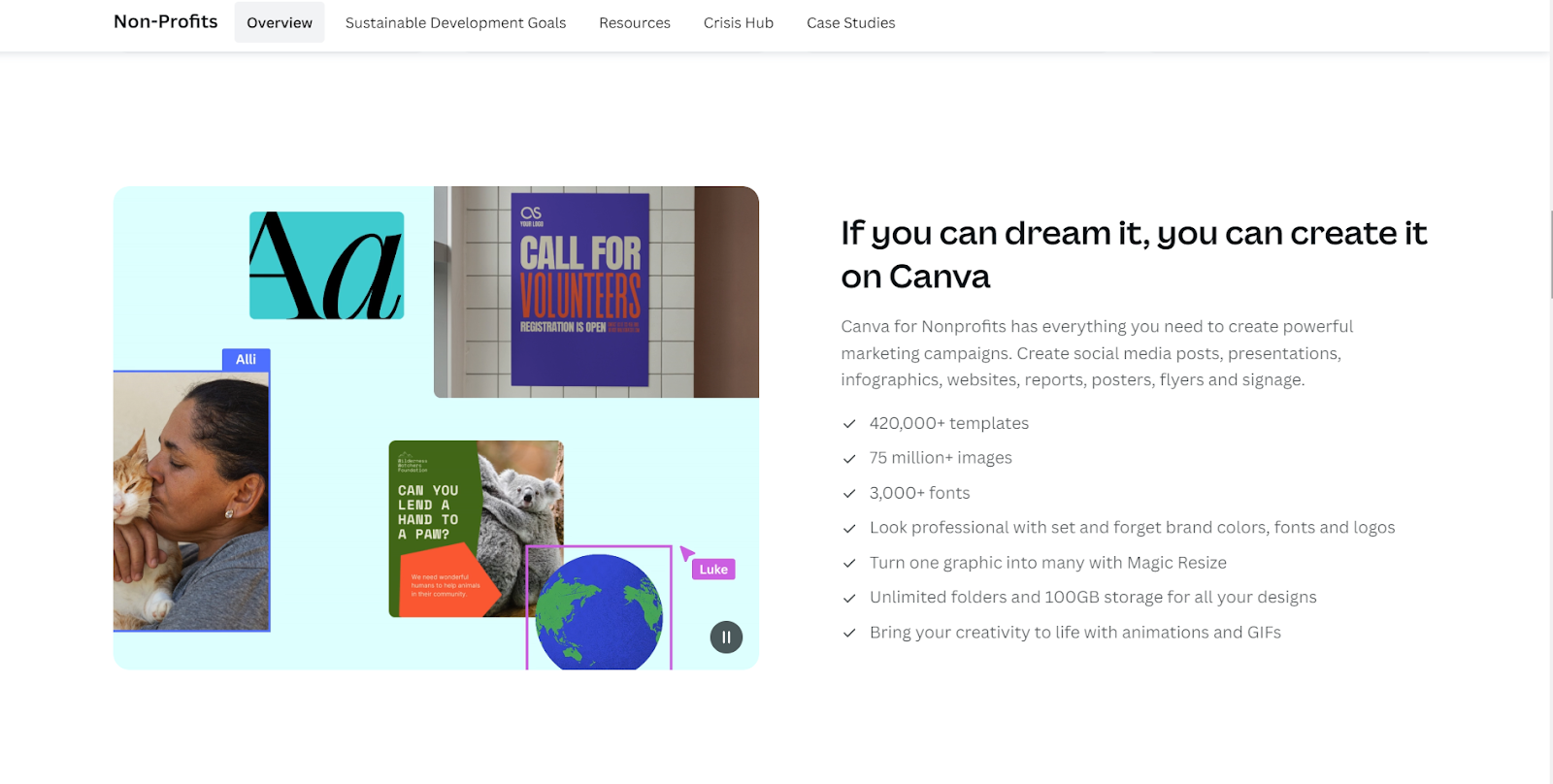
Thousands of templates for social posts, flyers, presentations, newsletters, reports, and more, including templates tailored to charity use cases.
Drag-and-drop editor that lets anyone on your team create professional-looking designs without graphic design training.
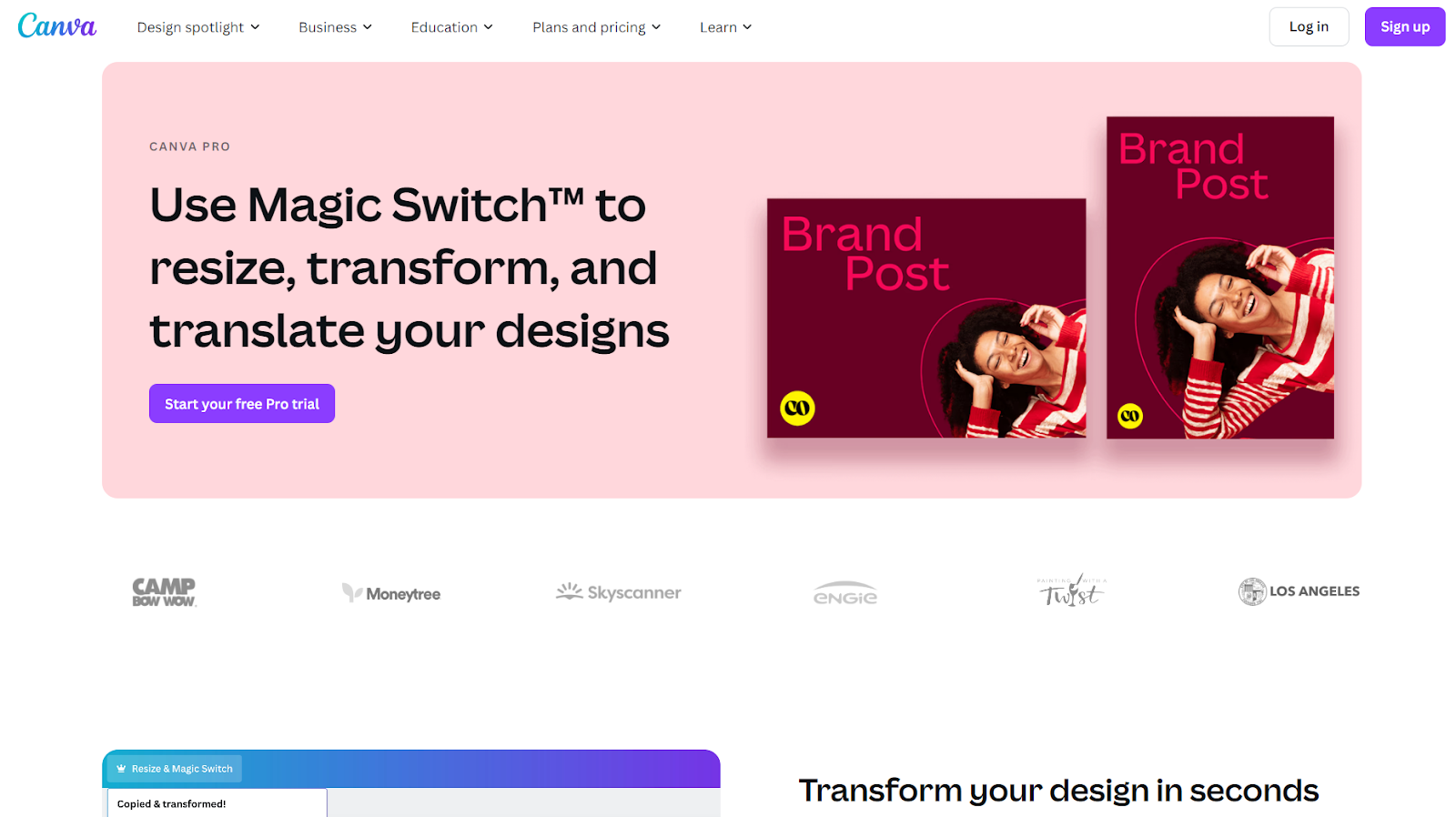
Magic Switch, which instantly resizes a single design into the dimensions you need for Instagram, Facebook, a flyer, an email header, and more.
Canva's website builder for turning your designs into a simple, publish-ready charity website with no coding required.
Brand management
Brand Kit for storing your logo, brand colours, and custom fonts so every team member designs from the same visual baseline.
Custom font uploads for organisations that licence their own typefaces.
Reusable brand templates so volunteers and staff can produce on-brand assets without redesigning from scratch.
Background remover and other premium photo-editing tools.
Collaboration tools
Up to 50 users per charity account (per canva.com/canva-for-nonprofits), so your entire team and regular volunteers can collaborate in one workspace.
Real-time co-editing, comments, and approvals on shared designs.
Permission controls so administrators can decide who can edit, comment, or view each design.
Single sign-on (SSO) and two-factor authentication for organisations that need to centralise account security.
Social media scheduling
Content Planner that lets you schedule designs directly to major social platforms, including Facebook, Instagram, LinkedIn, and X. (Canva updates this platform list periodically; check the Content Planner inside your account for the current integrations.)
Pause and edit scheduled posts without re-uploading files.
Performance insights for posts published through the planner.
Set up your charity brand kit
The Brand Kit is the single most useful feature for a charity with rotating volunteers and limited design oversight. Set it up once and every design starts on brand.
1.Open Brand Kit from your account menu. If you have multiple programmes or chapters, you can create more than one kit to keep each identity separate.
2.Upload your logo. Add a primary logo plus any approved variations (horizontal, stacked, white-on-dark, icon-only).
3.Set your brand colours. Enter the hex codes for your primary and secondary palette. Add accent colours for campaign-specific use.
4.Add your brand fonts. Choose from Canva's library or upload your own font files if you hold a licenced typeface.
5.Create reusable templates. Build a few core templates (Instagram post, event flyer, email header) and save them to the Brand Kit so anyone on the team can start from the right design.
6.Connect Google Drive or Dropbox. This makes it easier to pull existing assets in without re-uploading each time.
Once the kit is live, document a simple style guide inside Canva so the rest of your team knows which template to grab for which channel.
Five ways UK charities use Canva
Designs only matter when they drive action. Here are the five highest-impact use cases for small charities, each paired with the free fundraising surface the design should point to.
1. Social media graphics for fundraising campaigns
Instagram carousels, Facebook posts, and LinkedIn updates announcing a campaign, sharing impact numbers, or asking for gifts. Canva's templates and Magic Switch make it fast to produce a full campaign set in an afternoon.
The catch: a great Instagram post is wasted if the link in your bio drops donors onto a platform that prompts them with a suggested tip at the moment of giving, plus a Gift Aid processing fee on top. Pair every fundraising graphic with free, customisable donation forms that handle Gift Aid natively, so the pounds your designs raise actually reach your programme. For tactics on what to post and when, see Zeffy's guide to social media for charities.
2. Event flyers and posters
Galas, sponsored runs, auctions, community dinners, volunteer days. Canva's print-ready templates plus its QR code generator let you produce flyers that send scanners straight to a registration page.
3. Annual reports and impact infographics
Canva's presentation and report templates turn dry programme numbers into visuals donors actually read. Build an annual report or a quarterly impact infographic without paying a designer.
4. Email newsletter headers
A consistent, branded newsletter header builds recognition in the inbox. Design it once in Canva, drop it into the top of every send, and let your messaging do the rest.
5. Volunteer recruitment and supporter activation materials
Recruitment flyers, peer-to-peer campaign launch kits, sign-up sheets, and digital toolkits volunteers can share themselves. Build a volunteer-facing template set in Canva and give each volunteer a personalised version they can post across their own networks.
Canva for Nonprofits vs Canva Pro: what is the difference?
Canva offers three tiers. Here is how they line up:
Plan
Monthly cost
Annual cost
Users
Premium content
Right for
Canva Free
£0
£0
1
Limited selection
Individuals and small teams needing basic design tools
Canva Pro
~£10.99/month
~£99.99/year
1
Full library
Individuals and small teams wanting the full Canva Pro feature set
Canva for Nonprofits
£0
£0
Up to 50
Full library
Eligible UK registered charities
The headline: a qualifying charity gets the full Canva Pro feature set, with up to 50 users instead of one, at a price of £0 instead of around £99.99 per year. That is over £99 in software value per year, plus the team-collaboration upgrade that a standard Pro licence does not include.
Note: Canva Pro UK pricing is subject to change. Check canva.com/pricing for current UK figures before sharing with trustees or funders.
Compare the best Canva alternatives for charities
If Canva does not fit your workflow or your application is denied, these two design tools are the most commonly considered alternatives. Both have paid premium tiers; check each provider's current charity programme page for the latest details, since terms change.
Adobe Express
Adobe Express is Adobe's quick-design tool, with a large stock photo library, Adobe Fonts integration, and templates aimed at social media and marketing assets. It is the closest workflow equivalent to Canva for teams that already work in Adobe products.
Pricing: free tier with basic editing, plus a paid premium tier for advanced features. Free for qualifying charities where available, per Adobe's charity programme. Confirm current eligibility on Adobe's site before relying on it.
Fotor
Fotor is an all-in-one photo editor and design tool with AI-assisted editing, retouching, and a template library aimed at social media and marketing graphics. It is lighter on team collaboration than Canva but strong on photo editing.
Pricing: free tier with basic features, plus paid premium tiers. Free for qualifying charities where available. Confirm current eligibility on Fotor's site before relying on it.
Stack your free tools: from Canva to conversion
Canva for Nonprofits, Google Ad Grants (validated via TechSoup UK), and Microsoft 365 for Nonprofits are among the rare programmes that are genuinely free. Stacking them is how a small charity operates at a much bigger scale than its budget should allow.
But notice what is still missing from that stack: the moment of conversion. Many fundraising platforms prompt donors with a suggested tip at the point of giving, plus a Gift Aid processing fee on top. A beautifully designed Canva appeal can drive thousands of pounds in giving, only to lose a meaningful slice before it ever reaches your programme.
Here is the mechanism that changes that calculation: with a Gift Aid declaration, HMRC adds 25p to every £1 a UK taxpayer donates, so a £100 gift becomes £125 for the charity at no extra cost to the donor. The platform behind your donation page needs to handle Gift Aid natively, or your team is managing the spreadsheet manually.
Zeffy closes both gaps. Trusted by 100,000-plus charities that have collectively raised over £2 billion on the platform, Zeffy is 100% free. No platform fee, no transaction fee, no card fee. Ever. That means the donation page behind your Canva graphic, the ticketing form behind your event flyer, the newsletter your branded header sits inside, and the peer-to-peer page your volunteer activation kit links to are all zero-fee. Zeffy also submits Gift Aid claims natively through HMRC Charities Online, so your team does not run the spreadsheet themselves.
£1 given equals £1 received, plus 25p in Gift Aid where the donor is a UK taxpayer.
Yes. Approved charities receive full Canva Pro access at no cost. There are no subscription fees, no hidden charges, and no usage limits tied to a payment plan. You do not need a credit card to apply or to access the account once approved.
Canva's team reviews each application manually. Review typically takes a few business days, per Canva, though times can vary depending on volume and country of operation. You will receive an email when a decision is made. Applying from your organisation's official email domain and having your documents ready in advance can help avoid unnecessary delays.
The most common reasons for denial are a mismatch between the organisation name on the form and the legal name that appears on your CCEW, OSCR, or CCNI register entry, incomplete documentation, or an organisation type that falls outside the eligible categories. Review your application against those criteria, check the legal name on your register entry carefully, and reapply with the corrected information.
Many UK PTAs and Parent Friends Associations (PFAs) are registered charities in their own right with CCEW, OSCR, or CCNI, or are excepted charities under £100,000 income, and typically qualify for Canva for Nonprofits. PTAs that operate purely under the school's umbrella without a separate charity registration usually do not qualify under the standard programme. If your PTA or PFA has its own charity registration number, apply using that registration as your primary documentation.
Up to 50 users per charity account, per Canva's published programme terms at canva.com/canva-for-nonprofits. This covers your full staff team, regular volunteers, and trustees, all working in the same shared workspace with the permission level you assign them.
The feature set is essentially the same: both give you the full premium content library, Brand Kit, Magic Switch, Content Planner, and all Pro editing tools. The differences are the price and the user allowance. Canva Pro currently costs around £99.99 per year for a single user. Canva for Nonprofits is £0 per year for up to 50 users for eligible UK registered charities. That is over £99 per year in software value, plus the team-collaboration upgrade that a standard Pro licence does not include. Check canva.com/pricing for the latest UK figures.
Yes, in practice. Approved charities receive the full Canva Pro feature set, including the premium content library, Brand Kit, Magic Switch, background remover, Content Planner, and collaboration tools. Check canva.com/canva-for-nonprofits for the current programme terms, as Canva updates its product periodically.
Yes. The 50-user allowance covers volunteers as well as staff. You can assign volunteers different permission levels (edit, comment, or view only) so they can produce on-brand materials without being able to alter your core templates or Brand Kit. Setting up reusable brand templates in advance means volunteers start from the right design rather than creating from scratch.
Not automatically. Canva for Nonprofits is designed for registered charities. CICs, unincorporated associations, and community groups can apply through Canva's standard free and Pro tiers instead. Some CICs with a clear public-benefit purpose can also submit governing documents through Canva's discretionary social-impact route, though approval is not guaranteed. Check canva.com/canva-for-nonprofits for the latest guidance on the social-impact application route.
Canva publishes a data processing addendum and supports UK GDPR and Data Protection Act 2018 compliance requirements. For account security, Canva for Nonprofits includes single sign-on (SSO) and two-factor authentication. UK charities should review Canva's Data Processing Addendum and their own obligations under the Information Commissioner's Office (ICO) guidance before uploading supporter data or using Canva for donor communications. If data protection compliance is a trustee requirement, review the addendum before onboarding your team.
Get weekly fundraising tips from nonprofits experts
Thank you! Your submission has been received!
Oops! Something went wrong while submitting the form.
Keep reading :
Nonprofit guides
How to Build a Charity Website That Earns Trust and Gifts in 2026
Your charity website is the first place most donors, volunteers, and supporters look before they give. This guide covers what every UK charity website needs, from Gift Aid declarations and trust signals to mobile optimisation and examples from leading UK charitable organisations.
Platform fees and tool sprawl quietly eat more charity budgets than any single line item. This guide cuts through it: 50+ tools across 11 categories that UK charities can use for free, with the catch (or lack of one) spelled out for each, including Gift Aid handling, UK competitor fees, and the Charity Digital Exchange verification route.
Look for people who attend related events, follow relevant Facebook groups, or subscribe to aligned newsletters.These aren’t just potential donors—they’re your future advocates.
Look for people who attend related events, follow relevant Facebook groups, or subscribe to aligned newsletters.These aren’t just potential donors—they’re your future advocates.







.webp)

.webp)

